
Imagine: 85% of users search for local businesses through Google, but only one in three listings is fully filled out. As a result: millions of missed calls, clicks and sales that could have been yours. In 2025 local search became even more personalized, and Google Business Profile (GBP) is no longer just a “business card” on Maps but a full-fledged tool for growing offline and online business. If you still aren’t using all the capabilities of GBP, you’re literally losing customers at the top of the funnel.
I, Maksim Dimura, director and founder of the web studio BUSINESS SITE, have been helping companies build digital strategies that work since 2011. In practice I see: even large players — pharmaceutical companies, banks, retail chains — often have profiles filled only 30–40%, and analytics and integrations are not used at all. Meanwhile, full setup and optimization of Google Business Profile is not only an increase in impressions, but also a real increase in conversion, a reduction in customer acquisition cost and automation of local marketing.
This article doesn’t offer general advice, but a step-by-step plan that the BUSINESS SITE team applies to clients across industries. You’ll learn how to quickly verify a profile, scale branch management, integrate analytics and advertising, and which 2025 trends cannot be ignored. If you want your company to be found more often and for every marketing budget to deliver maximum ROI: read on.
Google Business Profile for local SEO in 2025

Setting up Google Business Profile
Setting up Google Business Profile: an important step to ensure an accurate and reliable representation of your company in Google services. A key part of this setup is address verification, which allows you to gain full control over the profile and build trust with users. Let’s look at the main address verification options available during setup.
How to verify the company’s address?
- A postcard with a code — the classic option, but not the fastest.
- Phone call — the code arrives automatically; suitable for most Ukrainian companies.
- Email — not available for all business categories.
- Instant verification via Google Search Console, if you have access to a verified site.
Practical tip:
Optimizing the business listing for city search
Optimizing the business listing for city search is an important step that helps your business become more visible in local results and attract the target audience. Proper profile setup and accounting for key parameters directly affect the effectiveness of SEO and allow you to make the most of local search potential.
What you must fill in:
- Company name, exactly as in registries and on the sign.
- Address: including city, street, and building number. For service companies: service area.
- Phones: primary and additional (for example, call center).
- Opening hours – including special schedules for holidays.
- Categories: choose the most relevant (up to 10 possible).
- Attributes: free Wi‑Fi, parking, accessibility for people with disabilities, payment methods (for example, «Payment by PrivatBank card», «Payment via Monobank», «Cash payment»).
- Website: link to the main website or a landing page.
- Description: brief, informative, with key advantages.
- Photos and videos: at least 5–10 high-quality images: facade, interior, products, team.
- 3D tours – if possible, add a virtual tour (Google Trusted Photographer).
How to choose categories and attributes?
- Categories are one of the main ranking factors in the Local Pack. Choose the primary category as precisely as possible (for example, not just «Pharmacy», but «24-hour pharmacy»). Additional categories help cover related queries.
- Attributes are the “features” that set you apart from competitors and affect behavioral factors (for example, a customer searches for «pharmacy with delivery» or «bank with parking»).
Popular hours of operation:
For one of our clients — a pharmacy chain — after adding the attributes «Delivery», «Open 24 hours» and «Card payment» the number of visits to the website increased by 35%. For a travel agency, adding a 3D office tour increased profile engagement by 20%.
Access Management in Google Business Profile

For effective profile management, especially when multiple locations are involved, it is important to properly configure roles and access. Google offers three levels:
- Owner, full control, including profile deletion.
- Administrator: almost all rights except deletion.
- Manager, limited rights (for example, posting updates, replying to reviews).
Automating data updates
Google Business Profile Performance Analytics
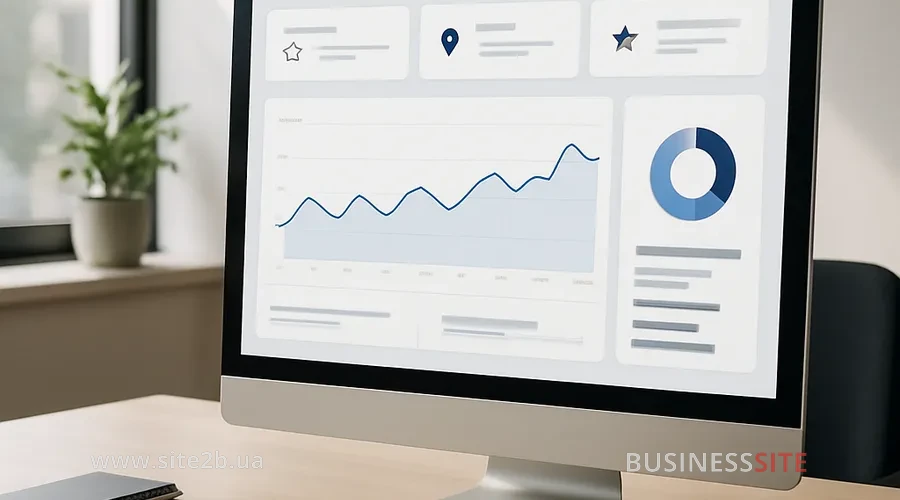
Google Business Profile Performance Analytics plays a key role in understanding how customers interact with your business in search engines. It provides valuable information about how users find your profile and what actions they take afterward.
Metrics for interpretation
- How people find the company – search queries, Maps, other sources.
- User actions: website visits, directions requests, calls.
- Photo views: how many times your images were viewed.
- Popular times when the profile is most often visited.
- Reviews: quantity, rating, response speed.
KPIs for local marketing:
- CTR (click-through rate) – what percentage of users who saw your profile clicked through to the site or called.
- Conversion to call/lead: how many contacts came through GBP.
- Rating growth: how the average review score changes.
- Increase in impressions – how much more often you are found in search.
For an online store with pickup points we set up separate profiles for each location and analyzed the statistics weekly. This allowed us to reallocate the advertising budget between branches and increase ROI by 25%.
Integration of Google Business Profile with Analytics and Ads
Integration of Google Business Profile with Analytics and Ads allows businesses to make the most of location data, user behavior, and advertising performance. Synchronizing these services provides accurate filtering and analysis of locations, for example through the “Addresses” extension — which is especially important for local companies aiming to increase visibility and attract a target audience. This approach opens new opportunities to optimize advertising, improve attribution, and increase offline visits.
Location filtering in the Addresses extension
How to link GBP with Google Analytics?
- Set up goals in Analytics to track transitions from GBP to the website. This will provide a complete picture of user behavior: how much time they spend on the site, which pages they view, and how often they perform target actions (placing an order, booking a consultation, subscribing).
Import addresses to Google Ads
Integration with YouTube and video ads
- Add YouTube videos to the business profile: this increases trust and engagement.
- For advanced strategies, you can run video ads (TrueView) targeted at users who search for your services in your city.
For a bank, we linked GBP with Google Analytics and set up end-to-end analytics: from a search impression to issuing a card at a branch. This made it possible to accurately assess the ROI of local marketing and optimize advertising campaigns.
Advanced strategies for optimizing Google Business Profile
Advanced strategies for optimizing Google Business Profile include various methods that allow businesses not only to create but also to make the most effective use of their Google profiles to increase local visibility and attract customers. These strategies include careful content management, including posts and photos, which play a key role in creating an attractive and informative profile.
Optimizing content with posts and photos
Profile activity:
Managing reviews
- Respond to all reviews: both positive and negative. This signals to Google that you care about customers.
- Avoid buying or inflating reviews – this risks profile suspension.
- The best strategy is to encourage satisfied customers to leave honest reviews (for example, after a purchase or visit).
Adding photos and videos
3D tours
Factors for Local Pack and Google Maps in 2025
Factors affecting visibility in the Local Pack and Google Maps in 2025, determine how successfully a business will appear in local search results. Understanding the key ranking elements helps optimize presence and improve positions in search results.
- Distance to the user: the closer, the higher the chance of appearing at the top.
- Relevance: how fully and accurately the profile is filled out, and how well categories and attributes match the search query.
- Rating and review quality: average rating, number of reviews, speed and quality of responses.
- Profile activity: frequency of updates, posting entries, adding multimedia.
- Behavioral factors — how many users visited the site, called, or requested directions.
- Personalization: results depend on search history, location, and device.
- Integration with other Google services: Analytics, Ads, YouTube.
AI Overviews and generative search (SGE)
For a travel agency, we analyzed the top 10 competitors in the Local Pack, identified common patterns (presence of 3D tours, regular posts, high rating) and implemented these elements. After 3 months the client’s profile entered the top 3 for key queries.
Conclusion on website SEO optimization
Its effectiveness depends on the completeness, accuracy and activity of the profile and on proper integration with analytics and advertising.
What to do right now:
- Check how complete and up-to-date your profile is.
- Verify all locations, set up roles and access.
- Integrate GBP with Google Analytics and Google Ads.
- Regularly publish posts, update photos and videos, and manage reviews.
- Analyze the statistics and optimize the profile based on the data.
Questions about the article
How to verify a company’s address in Google Business Profile quickly and without errors?
- Go to google.com/business and add your business.
- Enter the exact address (specify the office, store, or branch).
- Choose a verification method:
- Postcard (arrives in 5–14 days with a code);
- Phone or email (not available to all businesses);
- Video verification (live or pre-recorded).
Which key profile factors affect ranking in the Local Pack in 2025?
- Profile completeness (all fields filled, including categories, attributes, and hours).
- Reviews and rating — quantity, recency, and owner responses.
- Activity — regular posts, photos, and updates.
- Citations (NAP) — consistency of data on your website and third-party platforms.
- Proximity to the user (geographical factor).
- Behavioral signals — clicks for directions, calls, website visits.
- Photo quality and presence of video.
- Relevance of category and business description to key queries.
How to link Google Business Profile to Google Analytics to get full statistics?
- Make sure your website is connected to Google Analytics 4 (GA4).
- In the business profile in the “Site” section add a URL with correct UTM parameters, for example:
https://example.com/?utm_source=google&utm_medium=organic&utm_campaign=gbp - In GA4 the data will appear in Traffic acquisition → Session source/medium.
- For full integration also add Google Ads and Search Console — this will allow you to analyze visits, clicks, and conversions from the business listing.
How to use Google Business Profile “Address” extensions in Google Ads?
- Sign in to Google Ads → “Ads & extensions” → Extensions → Locations.
- Link your Google Business Profile to the Ads account.
- Select the desired location or all branches.
- Enable showing the address, directions, and distance in ads.
How do reviews and their quality affect ranking in Google Maps and Search results?
- Quantity and frequency of reviews increase visibility.
- Average rating affects click-through conversion and trust.
- Keywords in reviews help the search engine determine business relevance.
- Owner responses show activity and customer care, which strengthens ranking.
Rate the article:





