
Because manual processing of Google Analytics 4 reports is not just outdated: it prevents the business from growing and from reacting quickly to market changes.
Automatic report distribution – benefits

Let’s consider the key ones below.
Time savings and convenience
In my observations, automatic sending of Google Analytics 4 reports allows entrepreneurs and managers to focus on data analysis rather than on manual collection and processing. In one project for a pharmaceutical company, BUSINESS SITE specialists implemented regular email distribution of GA4 reports, which reduced the marketing department’s time spent preparing analytics from 12 hours a week to 40 minutes. This is not just process optimization: it frees up resources for strategic tasks.
Automation of analytics business processes makes it possible to receive reports on a predefined schedule, without the risk of forgetting or missing an important date. Regular GA4 report distribution eliminates the “human factor” and reduces the likelihood of errors related to outdated data or incorrect interpretation of metrics.
Regular site updates
It is important for business to operate with up-to-date data. When GA4 email reports arrive on schedule — daily, weekly, or monthly — the manager always has fresh information at hand about the dynamics of key metrics: traffic, conversions, ROI, and the effectiveness of acquisition channels. In the case of an online store, BUSINESS SITE specialists set up automatic GA4 report distribution by traffic channels and sources, which made it possible to promptly identify trends and adjust advertising strategies in real time.
Ease of comparison and monitoring
Automatic report sending opens new opportunities to compare metric dynamics between periods, departments, or products. In a construction company that BUSINESS SITE specialists worked with, regular GA4 report distribution allowed management to track the effectiveness of marketing campaigns for each project and make decisions about budget redistribution based on objective data. This approach minimizes risks associated with subjective assessment and “intuitive” management.
Time savings and site updates

Regular updates of GA4 email reports ensure timely informing of all stakeholders: from top management to advertising specialists. This is especially important for companies that work with large volumes of data or manage multiple projects simultaneously. In a travel agency where BUSINESS SITE implemented reporting automation, managers gained the ability to monitor the effectiveness of traffic acquisition channels daily and respond promptly to changes in demand.
Reporting automation for marketers and managers is not just a technical convenience, but a strategic advantage that enables making decisions based on up-to-date data and minimizing risks associated with outdated information.
Configuring GA4 reports

Configuring GA4 reports allows you to use analytics data as effectively as possible to understand user behavior and optimize business processes. In the following subsections we will look in detail at how to set up automatic report distribution step by step so you can receive the necessary information timely and without extra effort.
Automatic sending: step-by-step setup
Moving on to the practical part, I will describe in detail how to set up automatic sending of reports in Google Analytics 4, using BUSINESS SITE experience and best international practices.
- Sign in to Google Analytics 4
Open your GA4 account and go to the required property. It is important to make sure that you have administrator rights or reditor to manage report distribution. - Choosing the right report
In the “Reports” section, select the report that needs to be sent automatically: this can be a standard report on traffic channels, user events, or a custom dashboard created for your department’s needs. - Finding the option “Schedule email”
At the top of the GA4 interface, find the “Schedule email” button (Schedule email). If you use the English version, it will be “Schedule email”. Click it to go to the automatic sending settings. - Configure sending parameters
Specify:- *Frequency*: daily, weekly, monthly, or on a custom schedule.
- *Report format*: PDF or CSV; both formats are supported by Google Analytics 4 and suitable for different purposes. PDF is convenient for presentations and managers; CSV is for in-depth analysis in Excel or BI systems.
- *Recipients list*: add the email addresses of those who should receive the reports. Note GA4 limitations on the number of recipients (usually up to 50 addresses per mailing).
- *Unique report title and description*: this will help recipients quickly navigate the information flow.
- Saving changes
After configuring the parameters, be sure to save the mailing. Check that the report status changed to “Scheduled” and that all recipients were added correctly. - Verifying data accuracy
Send a test report to your email to ensure correct data display, formatting, and completeness of information.
Scheduling Google Analytics 4 report mailings is a process that requires attention to detail: configuring send parameters, choosing a format, adding recipients, and determining frequency. In my experience, the optimal frequency depends on the tasks: for operational monitoring – daily reports; for strategic analysis: weekly or monthly.
To examine managing statuses and mailing history in detail, let’s move to the next section.
How to manage report statuses in GA4
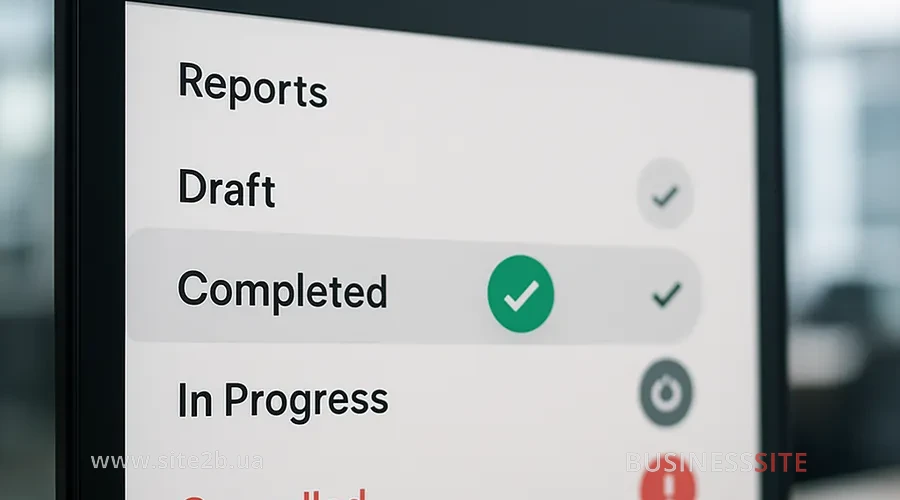
Managing report statuses in GA4 allows you to control the process of data collection, processing, and availability for analysis. Understanding the meanings of different statuses helps you work more effectively with analytics and respond promptly to changes in reports.
Report statuses – what do they mean?
- Active — the report is being sent successfully on schedule.
- Scheduled: the report is waiting to be sent according to the set frequency.
- Expired: the report is no longer being sent; settings need to be updated.
- No recipient: no email address specified; the report will not be delivered.
- Report deleted: the mailing was canceled; the report is no longer available for sending.
- Invalid report: an error in the settings or data; correction is required.
- Invalid author: the mailing initiator does not have access rights; the report is not sent.
Managing report statuses in GA4 is an important element of reporting automation for marketers and managers. In case of errors or changes in business processes, an administrator can change mailing parameters, add new recipients, or delete outdated reports.
Managing scheduled reports
In BUSINESS SITE practice, there is often a need to quickly change mailing settings: for example, add new managers to the recipients list or change the report format for the sales department. To do this, simply go to the “Scheduled reports” section, select the required report and make changes; all updates take effect immediately after saving.
Verify data accuracy

In the following subsections, we will look at how to perform such checks correctly.
Verifying data correctness – how to do it properly?
At BUSINESS SITE, we implement a multi-level system for checking automated GA4 email reports:
- Comparing metric dynamics via automated email reports
Regularly reconciling indicators between reports for different periods makes it possible to detect anomalies, integration errors, or incorrect event configuration. In a laboratory case, BUSINESS SITE specialists found discrepancies in conversion data, which allowed them to promptly correct settings and ensure analytics accuracy. - Checking data structure and completeness
Before launching the mailing, it is recommended to send test reports to an internal email, analyze formatting, completeness of information, and presence of all key metrics and KPIs: ROI, CTR, LTV, effectiveness of traffic acquisition channels, user events, and GA4 conversions. - Audit of data sources
Integration of GA4 with crm and BI tools requires regular auditing: data must be synchronized, filters and user segments configured correctly, and duplicate events excluded. - Control of frequency and update intervals
It is important to monitor that reports arrive on the scheduled timetable and that data are updated promptly. This is especially relevant for e-commerce and digital sales, where dynamics change daily.
Automating reporting for marketers and executives is impossible without regular verification of data accuracy. Only reliable analytics make it possible to make strategic decisions and optimize marketing budgets.
Conclusion on SEO in 2025
Automatic sending of reports in Google Analytics 4: it’s not just a convenient tool, but a strategic foundation for business growth, transparent management of marketing budgets and pDecision-making based on data. BUSINESS SITE practice confirms: automation of reporting allows entrepreneurs, managers and marketers to save time, minimize risks, respond promptly to market changes and scale analytical processes as the company grows.
Setting up regular GA4 report distribution gives businesses the ability to monitor the effectiveness of acquisition channels, analyze user behavior, optimize ROI and manage large volumes of data without extra costs. Integration of automatic Google Analytics email reports with CRM systems, BI tools and Ukrainian market services: “Nova Poshta”, “PrivatBank”, “Monobank”, “Rozetka”, “Prom.ua”: opens new horizons for the digital transformation of marketing and strategic data-driven decision making.
Automation of Google Analytics 4 report sending significantly simplifies and speeds up obtaining key analytics, providing businesses with transparency, responsiveness and scalability of analytical processes. This allows monitoring marketing effectiveness, optimizing costs and integrating with popular Ukrainian services for comprehensive data management and decision making.
Questions about the article
- What strategic advantages does automatic report sending in GA4 offer businesses?
- How does reporting automation in Google Analytics 4 affect time savings for marketers and managers?
- Which key metrics should be included in automated reports to evaluate the effectiveness of marketing campaigns?
- How can data accuracy and reliability be ensured in automated GA4 email reports?
- What risks are associated with automatic report sending and how can they be minimized?
Rate the article:





