I regularly see the situation: the business has already invested in SEO, rankings exist, content has been created, but there are few inquiries. The marketer blames the market, the entrepreneur, the competition, or the budget, while the real problem is an unconvincing snippet that does not reflect the value of the offer. As a result, advertising seems “ineffective”, people are afraid to invest in SEO and continue overpaying for paid search.
In this guide I will lay out step-by-step how a marketer or business owner can systematically increase CTR using meta tags, microdata and page structure, without touching the main text or design. To get a complete picture and be able to apply the approach to your site, I recommend reading the material to the end.
What is snippet CTR and how can it be increased?

In my observations of Ukrainian projects in the digital niche, the actual position CTR benchmark looks like this:
- TOP‑1: 30–40% of clicks
- TOP‑2: 18–25%
- TOP‑3: 12–18%
- 4–6 positions: 6–10%
- 7–10 positions: 2–5%
These figures are not a “norm” but reference points that are convenient for comparing your pages. If a page in 3rd position has a 5–6% CTR, you are losing 2–3 times more traffic than you could be getting at the same ranking.
Why focus on CTR without changing the content?
- Quick effect. Title, description, structured markup are implemented much faster than reworking content, redesigning or developing new functionality.
- A separate growth lever. Google’s snippet generation algorithm in most cases relies on your meta tags and page structure. If you “highlight” the necessary elements (title, price, rating, FAQ), the search results become noticeably more attractive, and the impression-to-click ratio increases.
- Behavioral CTR factors. A higher snippet CTR strengthens behavioral ranking signals: people click your result more often, the search engine records user preferences and, for a number of commercial and informational queries, gradually improves positions. This gives a long-term CTR effect — a steady traffic increase without constantly increasing the budget.
- No risk of “breaking” current content. When at BUSINESS SITE we work with large pharma projects or e‑commerce sites with tens of thousands of pages, any content changes require approvals, legal control and a long cycle. Snippet optimization in such an environment gives the business flexibility and quick wins without complex processes.
The impact of snippet clickability on traffic
Then:
- 600 clicks → 12 leads → $480 marginal revenue
If we raise CTR to 5% through snippet optimization (this is realistic, not an “ideal world”):
- 20,000 impressions × 5% = 1,000 clicks
- 1,000 clicks × 2% = 20 leads
- 20 × $40 = $800
Investments: the time of a marketer or agency for analysis and refinement of title/description, implementation of structured markup and developer technical support.
CTR metrics for top 10 positions
To manage, you must first measure. I always start working with snippets using google search console CTR:
- In the performance reports I select:
- Search type: “Web”
- Country filter: Ukraine
- I enable the metrics “Impressions”, “Clicks”, “CTR”, “Average position”.
- I sort pages by impressions and highlight:
- Pages with high positions (1–5) and low CTR (below the position average).
- Pages with a large number of impressions that generate few clicks.
For internal analysis at BUSINESS SITE we use our position CTR benchmarks by niches. For example, for digital marketing:
| Position | Target CTR (guideline) |
|---|---|
| 1 | 35–45% |
| 2 | 20–30% |
| 3 | 15–20% |
| 4–6 | 8–12% |
| 7–10 | 3–6% |
If CTR metrics by position lag significantly behind these ranges, it is a direct signal: there is room for growth through the snippet.
Snippet optimization for CTR

The approach I apply can be described as zero-content-change optimization:
- Analysis of data in Search Console and competitive SERPs.
- Refining the title to optimize it for CTR.
- Repackaging the description with a focus on CTA-driven clicks.
- Working with symbols/emojis and visual structure.
- Controlling length and relevance according to actual user intent.
CTR description: how to add numbers, facts, and a CTA
Headline: the first sales line of your search result. To increase CTR, I rely on three principles:
- Focus on the benefit, not the company.
Instead of “Brand Name: Homepage”, use formulations like:- “Turnkey house construction in Kyiv: estimate within 24 hours”
- “SEO‑site audit: 35‑page report and growth plan in 7 days”
- Numbers and facts in the title.
Numbers sharply increase attention to the snippet. For articles, the formats that work well are:- “Increase snippet CTR by 40%: 7 practical steps”
- “Snippet clickability: a checklist of 9 items for marketers”
For commercial pages:
- “Business loan up to 2 million UAH: decision in 1 day”
- “Delivery across Ukraine in 1–2 days: 5,000+ customer reviews”
- Clear Call to Action in the description.
I always include one or two calls to action in the description that don’t look aggressive but nudge to take action:- “Compare terms in 3 minutes and choose the best option”
- “Download a sample report before ordering the service”
- “Get an online cost estimate in 60 seconds”
Such a description with a CTA for clicks creates a stronger intent: the person understands what exactly they will get.
Emojis in the snippet without spam
I treat emojis in search results like special effects in cinema: they enhance a strong storyline, but don’t replace it.
Working approach:
- Use Unicode symbols and emojis in the snippet selectively, primarily in the description.
- 1–2 small elements that help structure the text or visually highlight the key part:
- 🌟, ⭐
- Examples:
- “⚡ Free delivery from 1,500 UAH across Ukraine – payment via PrivatBank and MonoBank”
- “⭐ Over 4,800 customer reviews: check real cases and prices”
At the same time, it is important to consider the risks of over-optimization:
- Frequent use of bright symbols, chains of emojis and unnatural constructions increases the risk of over-optimization penalties: search engines perceive this as an attempt to manipulate the snippet.
- I follow the rule: readability and usefulness for the human first, then the “decorations”.
Schema.org microdata for rich snippets
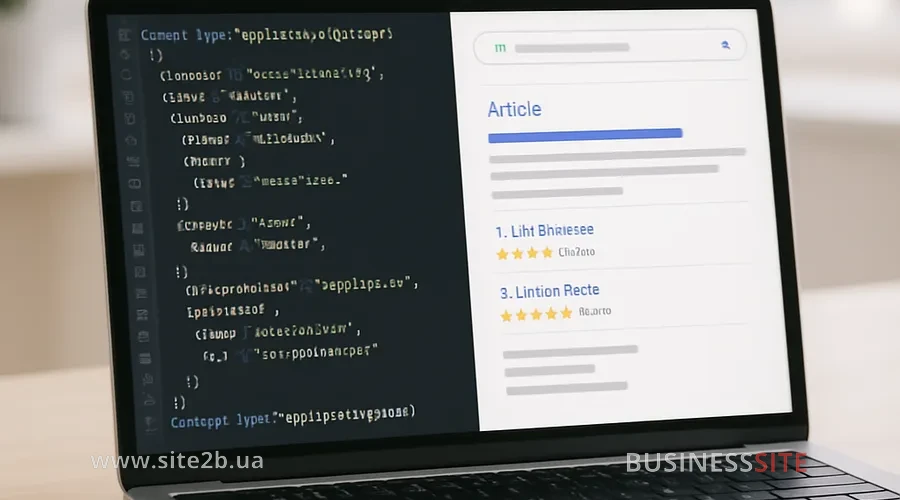
- star rating and the number of reviews;
- price and product availability;
- FAQ blocks with expandable questions;
- information about the company and the service.
I prefer the JSON-LD Schema format: it’s easier to maintain, scales easily, and minimally interferes with the layout. For e‑commerce and services we often implement:
ProductorServicewith price and availability;AggregateRatingfor displaying the average rating;FAQPagefor the questions-and-answers block;LocalBusinessfor local companies.
Structured markup for star ratings and FAQ
For structured markup of star ratings I first check whether the page has real reviews. If they are present – we describe them using `AggregateRating` and `Review`. Such a star rating highlights the snippet, especially for services and online stores.
FAQ is a separate powerful tool. FAQ markup (`FAQPage`) allows you to display a list of questions with brief answers in the snippet. It:
- takes up more space in the search results;
- immediately answers user objections (price, timing, guarantees);
- saves stray clicks — the person clicks with a clearer understanding.
Before launching such solutions I always check the code using Google Structured Data Testing Tool / Rich Results Test and monitor the “Enhancements” section for structured data in Search Console — it’s easier to track errors and scale successful schemas that way.
Breadcrumbs, the snippet, and semantic markup for CTR
Another underrated tool: the breadcrumb snippet.
- explains exactly where they will land;
- strengthens the sense of structure and reliability;
- increases the chance of a click compared to “messy” parameterized URLs.
For semantic markup, the following are important for CTR:
- correct H1–H3 headings;
- a logical hierarchy of sections;
- human-readable URLs that support the structure (“/category/product/”).
Snippet clickability: sitelinks and table of contents
Sitelinks are additional links under the main result. They lead to sections or anchors on the page and take up more space in search results.
On CMSs like WordPress, it is convenient to use plugins such as Easy Table of Contents: they automatically generate tables of contents for sitelinks by picking up the headings.
Sitelinks without changing content
To create conditions for sitelinks without rewriting texts, I recommend:
- Write logical H2/H3s with meaningful headings (not “Part 1”, but “Stages of building a turnkey house”).
- Add an interactive table of contents at the top of the page, where each item is an anchor link to an H2/H3.
- Make sure the structure is equally clear to both users and bots: this is practical semantic CTR markup.
Testing CTR snippets in Search Console

I use an approach of A/B testing meta tags over time intervals: for the same page we:
- Record the baseline period (for example, 14 days) and the Google Search Console metrics: CTR, impressions and clicks.
- Change the title/description according to a pre-planned hypothesis: add numbers, strengthen benefits, adjust snippet personalization for a more precise intent.
- After 7–21 days analyze the difference taking seasonality and trends into account.
Analysis of top-10 snippets
Before making any changes, I always look at how competing snippets appear in the TOP‑10:
- which phrasings in headlines inspire trust;
- who already uses rich snippets, ratings, FAQ;
- whether snippet hijacking is occurring, when competitors steal clicks by presenting a more attractive offer from the same positions.
Practical algorithm:
- Collect SERP‑screenshots for the key queries in your niche (can be done manually or via specialized services).
- Evaluate each snippet on a scale from 1 to 5 for clickability: presence of numbers, benefits, CTAs, markup.
- Compare this with your pages’ CTR monitoring data in Search Console.
Scaling CTR and Risks of Over-optimization
For a small site of 20–50 pages the process can usually be done manually. But when it comes to pharma catalogs, marketplaces and online stores with 1 000+ pages, it’s critical to plan scaling of snippet optimization across the site.
The working strategy I apply:
- Meta tag templates.
Use dynamic constructs:{{Product Name}}, buy in{{City}}with delivery in 1–2 days{{Category}}: prices, reviews, delivery by Nova Poshta across Ukraine
- Mass microdata markup.
Implement scaling of Schema microdata across 1000+ pages via CMS templates: a single JSON-LD Schema snippet injects unique data (price,availability,aggregateRating) for each product page. - Automated quality checks.
Establish a regular checklist: control of title/description length, absence of duplicates, correctness of structured data. This removes scalability bottlenecks.
It’s important to consider risks of over-optimization:
- excessive use of emojis and special characters;
- promises in the title that are not confirmed on the page;
- aggressive rich snippets (e.g. “rating 5.0” without supporting reviews).
ROI, risks and benchmarks: FAQ
At the end: a short mini‑FAQ block that we often discuss with BUSINESS SITE clients.
Take a page, calculate:
- current impressions, CTR, clicks, conversion to lead, average revenue per lead;
- model a scenario with a new CTR (for example, +30%);
- the difference in revenue minus the cost of optimization work — that will be the ROI estimate from snippet optimization.
Main ones: reduced trust (if the topic is formal: bank, pharma, B2B services), perception as spam and possible filters for excess characters. Therefore I use 1–2 neutral symbols and always check how it looks in the context of other results.
Optimally, via CMS templates and enterprise snippet deployment: a single JSON-LD snippet with variables for price, availability, rating, name that the engine injects for each page. This way you set up the structure once and then manage data, not code.
There are few direct official statements, but overall market experience and our cases show: a sustained increase in snippet CTR with stable user behavior strengthens behavioral ranking signals and supports a long-term CTR effect in the form of gradual position improvements.
Yes, if the page already has a questions-and-answers block or you can add it without changing the main text. FAQ increases snippet usefulness, addresses key objections and often gives a noticeable lift in clicks.
In terms of SERP display the result is similar: both help form rich snippets. But JSON-LD is easier to maintain and scale, it is separated from the page markup and more convenient for programmatic management, so at BUSINESS SITE I consider it the default choice for growth-oriented projects.
- Check CTR metrics by positions in Search Console and identify priority pages.
- Rewrite titles with a focus on benefits and numbers, adapt to real intent.
- Update the description: add a clear CTA, address key objections.
- Carefully test 1–2 Unicode symbols or emojis in the description, evaluate the effect.
- Implement basic Schema.org microdata: rating, price, availability, FAQ.
- Set up breadcrumbs in SERP via
BreadcrumbList. - Add an interactive table of contents and anchors to generate sitelinks.
- Run CTR snippet testing (A/B time-based approach) and monitor CTR in Search Console every 2–4 weeks.
Rate the article: