
I am convinced: if a business ignores image optimization, it loses not only search traffic but also user trust, which means money and positions. In recent years, the BUSINESS SITE team has repeatedly encountered situations where competent work with graphics not only increased traffic but also radically boosted conversion, reduced lead costs, and strengthened the brand.
In this article, I will show how graphics for the site can become an asset rather than an expense. I will discuss common mistakes that often prevent businesses from getting the most out of SEO-images and which solutions actually work in the Ukrainian market. If you want your corporate blog to deliver measurable results and not just decorate the site, I recommend reading to the end – here are only practical approaches based on experience and fresh research.
SEO Images: How They Affect Traffic and Ranking

Today visual search is not just a trendy term but a real growth driver. According to Google statistics, the share of image-based search queries increases by 8–12% annually. In some niches (such as construction, medicine, e-commerce), traffic from Google Images can account for up to 20% of the entire organic stream. Competent image optimization allows appearing in featured snippets, product cards, collections, and even voice search.
SEO-images enhance snippet clickability: visual elements in search results increase the CTR by 30–60% compared to text results. Moreover, images directly affect metrics such as Core Web Vitals and user experience: if graphics load slowly or appear irrelevant, the user leaves, and the site loses positions.
Image Optimization for Site
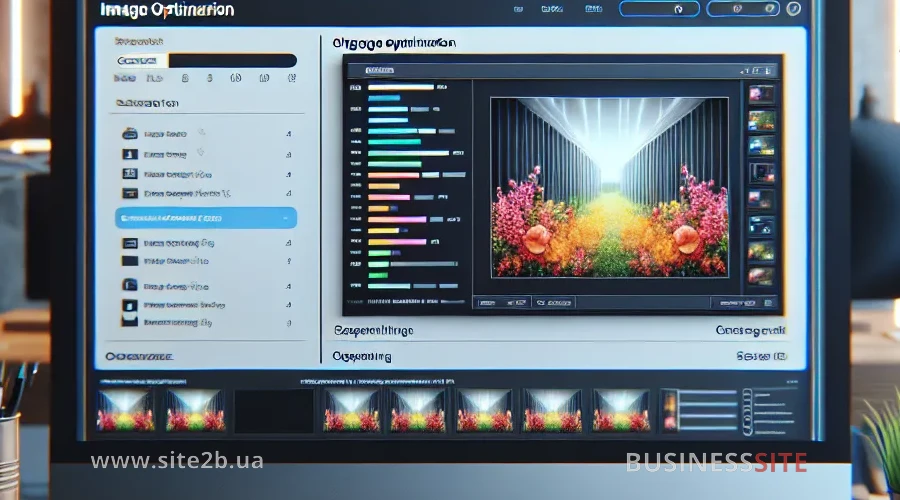
Image optimization for the site plays a key role in page loading speed, content display quality, and search promotion effectiveness. Proper work with graphics helps not only to make the site visually appealing but also provides it with a technical advantage in SEO promotion. In the following sections, we’ll discuss how to choose the optimal resolution and quality of images for maximum results.
Graphics Quality for the Site: What Resolution to Choose
In my experience, the quality of images directly affects brand perception and conversion. For a corporate blog, a resolution of at least 1200×800 pixels is considered optimal, especially regarding main illustrations or infographics. It’s important to maintain a balance: originals are needed for presentations, and for the site – optimized versions with minimal weight but without losing clarity.
Alt Attribute for Images: How to Add?
The alt attribute for images is not just a formality but a mandatory condition for SEO, accessibility, and even voice search. I always recommend including not only keywords in the alt but also a brief, informative description of the essence of the image. This helps search engines understand the context, and people with visual impairments get a full experience.
Image Relevance for SEO
Context: the key to success. Even a perfectly optimized image won’t be effective if it doesn’t match the page content. Search engines analyze not only the alt but also the image surroundings: captions, headings, adjacent text.
Unique Images for Site SEO
Unique images are among the most powerful factors for position growth. Search engines are increasingly fighting duplication, and Google’s Vision AI can distinguish originals from copies. Creating your own photos, illustrations, and infographics not only provides an SEO effect but also protects business assets.
Loading Speed and Adaptive Images for the Site
Loading speed: a critical factor for SEO and conversion. Studies show: a 1-second loading delay reduces conversion by 7%. For optimization, I use lossless compression, implement adaptive images with srcset and sizes, and use lazy load.
Image Optimization for SEO

Image optimization for SEO not only increases site ranking in search engines but significantly improves user experience by accelerating page loading and enhancing content accessibility. Below, we’ll discuss which image formats are most effective for SEO and how their choice affects site speed.
Image Formats for SEO and Speed
Choosing a format is a strategic decision. JPEG is suitable for photos, PNG: for transparency, WebP for maximum compression without quality loss, SVG for vector graphics and icons. For online stores, I recommend WebP: it provides up to 30% less weight compared to JPEG and PNG.
How to Compress Images: Methods and Tools
Compression is a quick way to speed up a site. At BUSINESS SITE, we use tools like Imagify, Optimizilla, and EWWW Image Optimizer. They allow automating the process and integrate with popular CMS.
Lazy Load and Asynchronous Image Loading
Lazy load: a technology where images are loaded only when scrolling the page. This reduces server load and accelerates loading. For placeholders, we use lightweight SVG or a blurred version of the image.
Adaptive Images: srcset and sizes
To ensure perfect display on all devices, I use srcset and sizes parameters. This allows the browser to choose the optimal image version depending on the user’s screen.
How to Format Alt and Caption for Image
File names should be meaningful, contain keywords, and reflect the essence of the image (e.g., new-building-kyiv-2025.jpg instead of img12345.jpg). Alt and title should be concise, informative, and free of keyword stuffing.
Microdata for Images for SEO
Microdata (Schema.org, Open Graph, Product, Recipe, Logo) helps search engines correctly interpret graphics. For e-commerce, we implement Product schema, for blogs, Article and ImageObject.
Let’s next consider creating a sitemap for images and the peculiarities of changing URLs.
Image Sitemap and URL Change
Adding images to sitemap.xml speeds up indexing and increases search visibility. When changing URLs, it’s important to set up 301 redirects and update the sitemap to avoid traffic loss and indexing errors.
Image Copyright: How to Protect?

Image copyrights, the foundation for protecting the creative and commercial interests of the image owner. To be confident about the safety of your works, it’s important to know how to properly format and use images and understand licensing systems like IPTC and Creative Commons.
Licenses and Image Copyright: IPTC, CC
Formalizing copyright on images is not only a legal formality but a way to protect content investments. I recommend embedding authorship metadata via the IPTC Photo Standard and using Creative Commons licenses if you publish third-party works.
How to Protect Illustrations from Copying
Watermarks protect against copying but can reduce clickability and perception. According to our observations, it’s optimal to use subtle watermarks or embed digital tags in metadata.
How to Make Stock Images Unique
Using stock images carries duplication risks and penalties from search engines. I advise making such images unique by cropping, overlaying brand elements, color correction, and combining with proprietary photos.
SEO Automation of Image Optimization

SEO automation of image optimization helps simplify and accelerate key processes like file compression and microdata implementation. Thanks to modern plugins and services, image optimization becomes maximally effective and clearly influences site positions and its technical state. Let’s discuss the main tools for automating these tasks.
Plugins and Services for Compression and Microdata
For automating routine tasks, BUSINESS SITE uses plugins for WordPress (Imagify, EWWW Image Optimizer), Shopify (Crush.pics), Magento (TinyPNG), and solutions for microdata (Schema App Structured Data).
CDN for Images, Why is it Needed?
CDN for images (such as Cloudflare, BunnyCDN) ensures fast delivery of graphics to users worldwide, reduces server load, and improves Core Web Vitals scores. For large-scale projects, this is an essential part of the infrastructure.
AI Image Analysis Tools
Modern AI solutions (Google Vision AI, TinEye, SE Ranking) allow automating image audits, tracking duplications, and analyzing quality and relevance. Implementing such tools helps digital teams quickly identify problems and manage the quality of visual content.
Visual Content for SEO and Social Media

Visual content for SEO and social media has long been a key tool for attracting attention, building brand recognition, and increasing audience engagement. Competent work with visual formats allows not only to stand out in social media feeds but also to gain additional traffic through proper integration with search engines and social platforms.
Open Graph and Pinterest: How to Increase Traffic
Integrating Open Graph tags and Pinterest buttons increases reach in social media, enhances brand recognition, and attracts additional traffic. I recommend creating a separate OG image for each key page, adapted to the requirements of Facebook, LinkedIn, and Pinterest.
Images in Rich Snippets and Conversion
Well-chosen graphics increase chances to be included in rich snippets and special search elements. This directly affects CTR, behavioral factors, and the overall conversion rate.
We will next review typical mistakes that reduce the effectiveness of SEO work with images.
SEO Image Audit: Common Mistakes

A proper SEO audit of images helps to avoid common mistakes such as the absence of alt attributes, incorrect file names, or slow loading due to large image sizes. Reviewing common oversights and systematically checking images can improve site visibility in search and increase traffic. We will next look at what tools and checklists can help identify and resolve these mistakes.
Image Check for SEO: Tools and Checklist
Regular SEO image audit is the key to stable growth. At BUSINESS SITE, we use SE Ranking, Screaming Frog, Google Search Console to identify errors: lack of alt, excessive weight, duplication, indexing problems.
URL Change: Risks, Indexing, Social Media
When changing URL structures, it’s important to plan redirects in advance, update sitemaps, and monitor indexing. Special attention should be paid to SVG graphics: they may not index or display correctly in social media.
Image Optimization for SEO

SEO for images is not just a technical task but a strategic growth tool. Competent image optimization allows for increasing traffic, improving user experience, boosting conversion, and protecting business assets from copying and sanctions. BUSINESS SITE practice confirms: investments in quality visual content and process automation deliver measurable ROI and competitive advantages.
Rate the article:





