
Imagine the situation: your employee receives an email that looks completely legitimate. Your bank’s logo, the right font, professional design. “Urgently confirm your account details,” the email says. He clicks the link, enters his password, and a few hours later money disappears from his account. This is not a scene from a movie: this is the reality faced by thousands of Ukrainian companies every year.
Phishing links remain one of the most effective and dangerous tools of cybercrime. According to research, more than 90% of successful breaches begin with a phishing attack. For an entrepreneur or manager this means one thing: ignorance of how phishing works and the methods of protection can cost millions of hryvnias in losses, not to mention reputational damage and legal consequences.
In this article I will share a deep understanding of how phishing links work, the warning signs you should watch for, and the specific protective steps that actually work. We will cover not only theory but also practical tools that will help you and your team stay safe in the digital space.
What is a phishing link and what are the dangers?
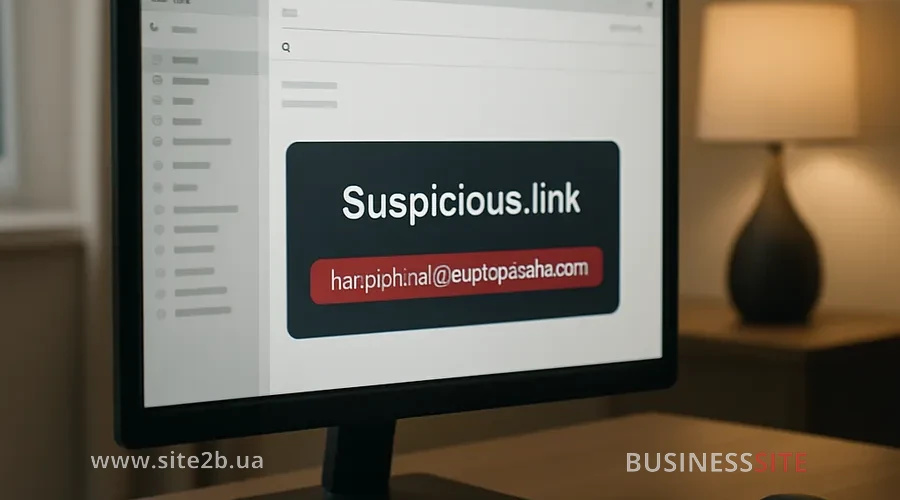
How a phishing link works
Phishing as a tool of social engineering
Phishing is one of the most common forms of social engineering that uses psychological manipulation to extract confidential information from users. Attackers use a whole arsenal of psychological tricks, creating a sense of urgency, winning trust, and impersonating legitimate sources to make the victim disclose their data. Understanding these tactics is the key to protecting yourself from constantly evolving phishing attacks.
Psychological tricks used in phishing attacks
Phishing works because it is, above all, a psychological attack. The scammer is not trying to hack your computer directly: they are trying to persuade you to voluntarily grant access.
- Urgency and panic. “Your account will be locked in 24 hours”, “Suspicious activity detected”, “Confirm payment urgently”. These phrases create a sense of urgency that makes people act without thinking. When a person is panicking, they do not analyze the details: they just want to resolve the problem as quickly as possible.
- Enticing offers. “You won a prize”, “Get 50% off”, “Free shipping”. People love good deals, and scammers know this. They create artificial scarcity or time limits to make you click.
- Authority and trust. Phishing emails are often sent on behalf of well-known companies, government agencies, or even colleagues. People trust authorities, so they are less likely to question the authenticity of a message.
- Personalization. Modern phishing attacks often include personal information about the victim — name, position, company name. This creates the illusion that the message is really intended for you, not a mass mailing.
Real-life examples of phishing attacks
Phishing attacks take many different forms. Let’s look at a few real examples that will help you better understand what the threat looks like.
- Bank impersonation phishing. A classic example is an email supposedly from your bank asking you to confirm your card details. The email may contain the bank’s logo, the correct font, and even a link that looks like the bank’s official address (for example, https://[email protected] — note the @ symbol, which is often missed during a quick glance).
- Phishing from cloud service providers. “Your Google/Microsoft account requires verification”, “Your subscription is about to expire”. People use cloud services daily, so such messages cause natural concern.
- Phishing on social networks. Messages sent on behalf of an Instagram or Facebook administrator asking you to confirm your identity or update payment details. These messages often contain a link to a fake site that copies the social network’s interface.
- Phishing impersonating government agencies. Ukraine is seeing mass phishing mailings allegedly from the tax service, using addresses that imitate the official details of the State Tax Service (DPS).
- Phishing in messengers and SMS. Short messages with a link: “Confirm your phone number”, “Receive bonuses”, “Track your parcel”. Phishing links are often distributed via messengers, which helps criminals obtain the victim’s bank card information.
Main types of phishing and distribution channels
Phishing is a common form of cyberattack in which attackers try to deceptively obtain confidential information. Fraudsters use various types of phishing and are constantly looking for new distribution channels to reach as many potential victims as possible. From mass email campaigns to targeted attacks in messengers and social networks – understanding these methods is critical for protecting your data.
Phishing link via email
Email remains one of the most popular channels for distributing phishing links. This is easy to explain: email is simple to use for mass mailings, and people often treat emails with less suspicion than messages on social networks.
Particularly insidious are emails that look like service notifications: “Confirm the domain name”, “Update payment method information”, “Check activity in your account”. People are used to receiving such emails from legitimate services, so they often don’t think before clicking a link.
Phishing on social networks
Social networks are an ideal platform for phishing because people are less cautious there. They are used to clicking links, sharing information and interacting with content.
- Phishing on Instagram often looks like a message from a platform administrator or from a popular account. For example: “Your account has violated community rules, verify your identity here”. Or: “You won a contest, follow the link to claim your prize”.
- LinkedIn: it is an especially attractive target for phishers because professionals and company executives are concentrated here. Phishing messages may look like a job offer, an invitation to a webinar, or a connection request from an allegedly well-known specialist in your field.
Facebook and other platforms are also used for phishing, often through ads or messages from alleged friends or colleagues.
Common types of phishing
- SMS phishing (smishing). Short text messages with a link: “Confirm the payment”, “Track your package”, “Claim bonuses”. Such messages often look like notifications from banks, payment systems or delivery services.
- Pharming (DNS spoofing). This is a more technical form of phishing in which an attacker redirects you to a fake site even if you enter the correct address in the browser.
- Phone phishing (vishing). The scammer calls you and impersonates a representative of a bank, payment system or other company, demanding that you provide confidential information.
- Clone phishing. The scammer creates a copy of a legitimate email you have already received but replaces the link or attachment with a fake one. This is especially dangerous because the email appears authentic.
How to recognize a phishing link
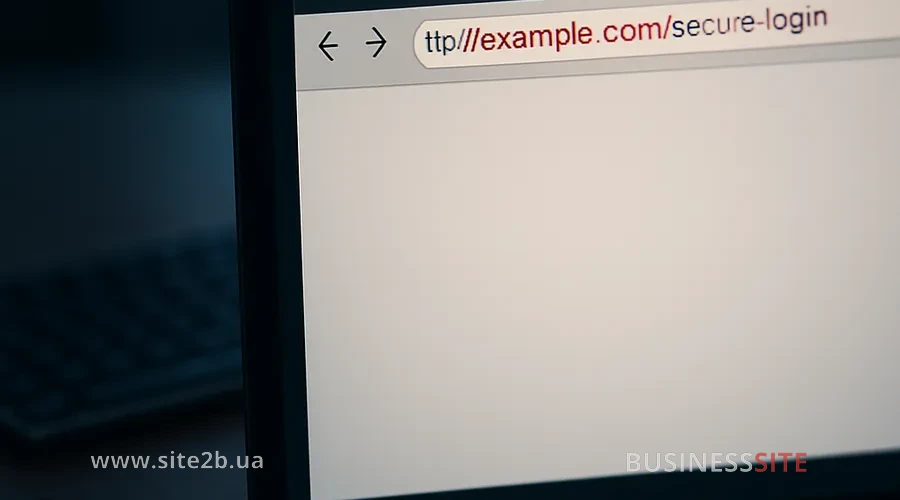
Phishing links are one of the most effective tools of cybercriminals, but they can be recognized if you know the key signs. Fraudsters constantly refine their methods of disguise, creating fake sites that at first glance are almost indistinguishable from genuine ones. Still, vulnerabilities always remain in the URL, site structure, and technical details that give away a phishing attack.
Technical signs of a phishing site
If you know what to look for, recognizing a phishing link becomes much easier. Here are the key technical signs that should alert you.
- Website address (URL). This is the first thing to check. Phishing sites often use addresses that look similar to official ones but have small differences. For example:
- Instead of https://bank.ua there may be https://bank-ua.ru or https://bank.ua.zlo.ru
- Using the @ symbol to hide the real address: https://[email protected] (the real address here is zlo.ru)
- Very long URLs with obscure parameters: https://zlo.ru/redirect?go=https://bank.ua&id=12345
- Domain age. Many phishing sites exist for only a few months. Whois services can help find out when the domain was registered.
- Security protocol (HTTPS vs HTTP). All legitimate sites, especially those that handle financial information or personal data, use the HTTPS protocol. This means the connection is encrypted and protected. If you see http:// (without the S), that’s a red flag. On the other hand, it is important to remember that over 80% of phishing sites already use HTTPS, so the green padlock in the browser bar no longer guarantees safety.
- Security certificate. Click the padlock in the browser’s address bar. You should see information about the certificate, including the name of the company that owns the site. If the name does not match the company on whose behalf the message was supposedly sent, this is a sign of phishing.
- Design and functionality. Phishing sites often copy the design of official sites but may contain errors:
- Low image quality
- Incorrect fonts or colors
- Non-working buttons or links
- Odd placement of elements
Behavioral signs of phishing
In addition to technical signs, there are behavioral cues that indicate phishing.
- Generic salutations. Legitimate companies usually address you by name. If the message starts with “Dear user” or “Dear customer”: this may be a sign of phishing.
- Spelling and grammatical errors. Professional companies carefully check their messages. If you see typos, incorrect grammar, or an odd writing style: this is a sign that the message may be fake.
- Urgent or threatening language. “Urgent”, “immediately”, “your account will be locked”, “you will lose access”. Scammers use such language to make you act without thinking.
- Request to provide confidential information. Legitimate companies will never ask you to provide a password, card number, or other confidential information via a message or a link. If you see such a request, it is definitely phishing.
- Unusual attachments or links. If the message contains an attachment you were not expecting, or a link looks strange (for example, very long or containing unfamiliar characters), be cautious.
- Mismatch between sender and content. If a message claims to be from your bank but is sent from an address like [email protected], it’s a clear sign of phishing.
- Proper email settings. Most corporate domains use SPF, DKIM and DMARC protocols to protect against sender address spoofing. The absence of these records in the message header may indicate phishing.
How to check a website for phishing?
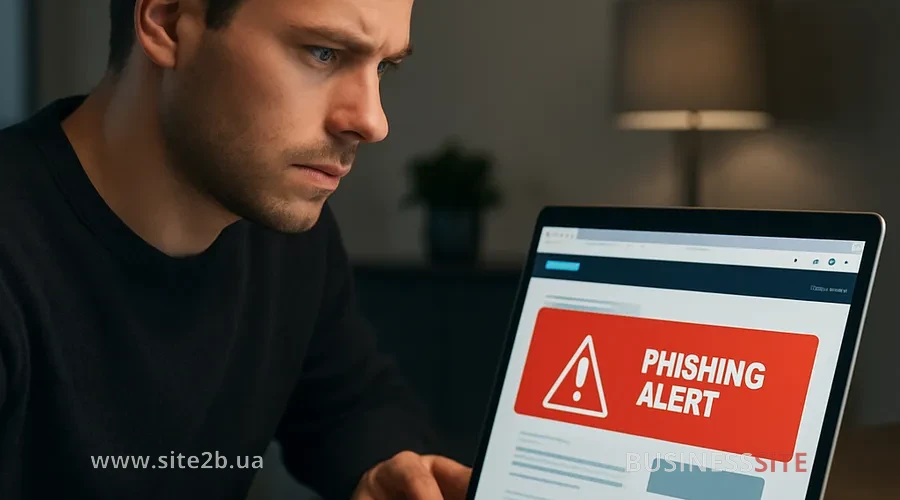
Checking a website yourself
You can check a website for phishing yourself without using special tools. Here is a step-by-step guide.
-
Check the website address (URL).
Look at the browser’s address bar. Make sure the address exactly matches the company’s official website. Pay attention to:- Correct spelling of the domain
- No extra characters or letters
- Correct extension (.ua, .com, etc.)
If in doubt, open a new tab and enter the address manually instead of clicking a link from an email.
-
Check the security protocol.
Make sure the address starts with https:// (with the letter S). Click the padlock in the address bar and check the certificate. The company name in the certificate should match the company that supposedly sent the email. -
Analyze the design and content.
- Check the quality of the logo and images
- Make sure all links work
- Check for contact information (address, phone, email)
- Pay attention to the tone of the message and any mistakes
-
Check the login form.
If the site asks you to enter a password or other confidential information:- Make sure the password field hides entered characters (shows dots or asterisks)
- Check that the form uses HTTPS
- Do not enter your real password on an unfamiliar site
-
Check the source of the email.
If the message arrived by email:- Look at the sender’s address (not just the display name)
- Check whether the address matches the company’s official address
- Keep in mind that addresses are easy to spoof, so this is not a 100% guarantee
Checking a website using online services
- Google Safe Browsing. This is Google’s built-in tool that automatically checks sites for malware and phishing. You can check a site by going to https://transparencyreport.google.com/safe-browsing/search_new. Enter the website address, and Google will show whether the site is known to be dangerous.
- Unmask Parasites. This service helps check a site for malware, phishing, and other threats. Just enter the site’s address at https://unmask.sucuri.net/, and the service will perform an analysis.
- Unshorten.It. If you received a shortened link (for example, bit.ly or tinyurl), use this service to decode it. Go to https://unshorten.it/, enter the shortened link, and the service will show the real address. This is especially useful because scammers often use shortened links to hide the real address of a phishing site.
- VirusTotal. This service scans files and URLs for viruses and malware using more than 70 antivirus engines. Go to https://www.virustotal.com/, select the “URL” tab and enter the website address.
- Whois. This tool shows information about the domain owner. Go to https://whois.com/ and enter the website address. If the domain owner is an unknown company or the information is hidden, this may be a sign of phishing.
Phishing protection methods for businesses and individuals
Phishing remains one of the most common threats for both businesses and individuals, so knowing effective phishing protection methods has become a necessity. Properly chosen and configured tools can significantly reduce the risk of data compromise and financial loss.
Using antivirus software
- Browser extensions. In addition to a full antivirus, use browser extensions that warn about phishing sites. For example:
- Avira Browser Safety
- uBlock Origin (blocks malicious scripts)
- Web of Trust (WOT)
- Updates. Regularly update your antivirus and browser. Updates contain security fixes and information about new phishing sites.
Employee training and internal policies
Technology can help, but the best defense against phishing is informed people. Employee training is one of the most effective investments in a company’s security.
- Regular training. Conduct regular training for employees on how to recognize phishing links and emails. Companies that invested in practical employee training reduced the number of successful phishing attacks threefold. Training should include:
- Examples of real phishing emails
- Key signs of phishing
- What to do if you suspect phishing
- Consequences of phishing attacks for the company
- Phishing testing. Conduct simulated phishing attacks on your employees. Send them fake phishing emails and track who clicks the link. This helps identify employees who need additional training. Conduct short interactive trainings with live examples and practical exercises.
- Internal policies. Develop clear policies and procedures:
- Never click links in emails from unknown senders
- If you receive an email supposedly from a company but you have doubts, contact the company directly (using a phone number or address you know)
- Never follow links from unexpected emails, even if the sender seems familiar
- Report suspicious emails to the IT department
- Do not share confidential information via email or links
- Security culture. Create a culture in which employees are not afraid to report suspicious emails. If an employee clicked on a phishing link, it should not be a reason for punishment; it is an opportunity for training and process improvement.
Multi-factor authentication and data protection
- A code sent to your phone (SMS or an app)
- Biometric data (fingerprint, facial recognition)
- A hardware key (physical security key)
- Cloud services (Google Workspace, Microsoft 365)
- Financial systems
- Corporate social media accounts
- Authentication methods in 2025. In the coming year it is recommended to use code-generating apps (for example, Google Authenticator, Microsoft Authenticator or their equivalents). For highly sensitive accounts add a biometric factor: for example, a fingerprint or face scan. Be sure to use backups and one-time passwords in case of device loss.
- Protecting corporate accounts. If your company uses Instagram, LinkedIn, Facebook or other social networks for marketing, make sure these accounts are secured:
- Use strong passwords and a password manager
- Enable MFA for all services
- Limit account access to only necessary employees
- Regularly review account activity
- Use secure communication channels and messengers
Protecting corporate email
Consequences of phishing for businesses
Phishing attacks have serious consequences for businesses, threatening both financial stability and the company’s reputation. Understanding these risks is the first step to effective protection and minimizing damage.
Financial losses
The financial damage from phishing can be catastrophic. Losses from online fraud in Ukraine in 2025 reach billions of hryvnias, with phishing leading the way. Fraudsters can gain access to company bank accounts, credit cards, and financial systems.
In addition to direct financial losses, there are indirect costs: expenses for recovery after a breach, legal fees, fines from regulators, and costs of notifying customers about the compromise of their data.
Theft of confidential data
Phishing is often used to gain access to a company’s and its clients’ confidential data. This can include internal information, trade secrets, and customers’ personal data. Ukraine is seeing a surge in carding due to the growth of online shopping; fraudsters create fake stores where the goods never arrive after payment.
The compromise of personal data can lead to legal consequences and fines under data protection laws.
Reputational damage
If it becomes known that a company fell victim to a phishing attack and customer data was stolen, it causes serious reputational damage. Customers lose trust in the company, which can lead to the loss of contracts and clients.
Business disruption
Security trends for 2025
In the coming year, businesses should pay particular attention to automating incident response. Solutions are already available that, when suspicious activity is detected, temporarily block access and send notifications to the responsible personnel.
The popularity of biometric identity verification methods is growing – they are harder to bypass and more convenient for users. artificial intelligence is increasingly involved in traffic analysis and the detection of new threats in real time.
Checklist for protecting your business account
Here’s a brief list of quick measures to protect your business account:
- Use unique strong passwords and a password manager
- Enable multi-factor authentication for all services
- Monitor logins and activity logs
- Minimize access rights and perform regular employee audits
- Provide ongoing cybersecurity training for employees
- Use secure communication channels and messaging apps
- Control cloud integrations and disable unused services
- Implement tools to filter suspicious emails
- Create an incident response plan and periodically review its relevance
Conclusion
In a world where phishing is almost indistinguishable from genuine correspondence, it’s important to stay vigilant. Even if you use trusted hosting providers, don’t rely solely on automatic filters. Use a comprehensive approach: check the address, assess the design, read reviews, and be careful about what data you enter and where. Awareness, software updates, and two-factor authentication remain the main shields against cyber threats in 2025.
Rate the article:





