
95% of Instagram users in Ukraine follow at least one business account, and over 70% make purchase decisions after seeing a product in their feed or Stories. However, only 18% of companies fully utilize the capabilities of an Instagram business account – the rest lose customers, budget, and control over promotion. Why does this happen?
How to turn Instagram for business into a source of stable leads and sales? How to avoid mistakes that lead to blocks, budget loss, and reputation damage?
Instagram Business Account – What Is It?
The key difference of a business account is the ability to choose a profile category (e.g., “Online Store,” “Services,” “Media Company”), which influences recommendations, searches, and brand perception in Instagram.
Commercial or Creator Account on Instagram – What to Choose?
Instagram has two types of professional profiles: “Business” and “Creator.” The former is optimal for companies, online stores, service businesses, and the latter: for experts, influencers, bloggers, and creators.
Instagram Business Account: Advantages and Features
- Expanded communication channels: Contact buttons (call, email, WhatsApp, Telegram), physical address, lead magnets for collecting inquiries.
- Access to analytics and statistics: Instagram Insights provides data on engagement, reach, demographics, audience activity.
- Advertising tools and Shopping Tags: Ability to launch targeted advertising, connect Instagram Shopping and Shopping Tags for online stores.
- Integration with Facebook and other digital channels: Synchronization with Facebook Business Suite, publication automation, retargeting, omnichannel marketing.
- Review and reputation management: Quick access to messages, ability to automate responses, work with negativity through Direct.
BUSINESS SITE practice confirms: companies that use the full functionality of the Instagram business account achieve higher conversion, shorten the sales cycle, and obtain transparent analytics at all stages of the customer journey.
Instagram Analytics for Business
Instagram Insights: a key tool for analyzing the effectiveness of a commercial account. It allows tracking metrics such as reach, engagement, link clicks, audience demographics, and efficiency of Stories and Reels.
I recommend tracking not only standard metrics (likes, comments, reach) but also in-depth indicators: engagement rate (ER), profile conversion rate, follower growth dynamics, and lead magnets’ effectiveness.
Targeting and Shopping Tags in Instagram for Business
Special attention should be paid to the Shopping Tags feature for online stores. It allows tagging products directly on photos and videos, simplifying the customer’s path from viewing to purchase.
Business Account in Instagram – How to Create?
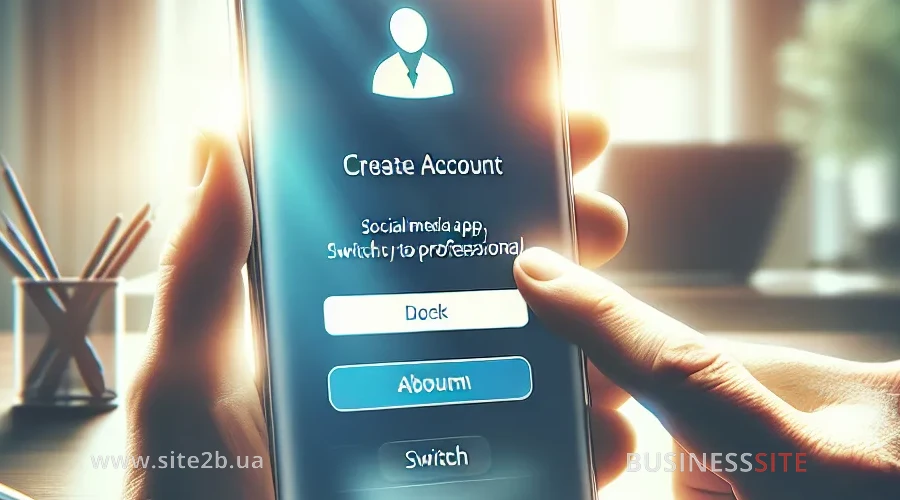
Switching to a business account: this is not just a status change but a comprehensive setup determining the effectiveness of business promotion on Instagram.
How to Convert an Instagram Account to Business
- Open your profile settings in the Instagram mobile app.
- Select “Account” and click “Switch to Professional Account”.
- Specify the business category: this affects recommendations and search.
- Choose a profile type: “Business” or “Creator”.
- Link the account to a Facebook page (for advertising access and integration with external services).
- Fill in the contacts: phone, email, address.
- Check the correctness of all data and save changes.
BUSINESS SITE experience shows that Instagram’s integration with Facebook significantly expands advertising, automation, and analytics capabilities.
Optimizing Instagram Profile for Business
- Avatar: Use a logo or emblem easily recognizable even in thumbnail size.
- Name and handle: Include keywords (e.g., “shoe online store”) to enhance visibility in searches.
- Profile header: Clearly describe what you do, add a unique selling proposition, use emojis for visual emphasis.
- Contact buttons: Add phone, email, messengers (WhatsApp, Telegram) for quick contact.
- Lead magnet: Offer a free checklist, consultation, or discount for subscription to increase profile conversion.
- Links: Use multi-links (Linktree, Taplink) to direct traffic to the website, messengers, marketplaces.
Designing a Commercial Account on Instagram
Content Strategy for Instagram: Themes and UGC
A content strategy is the foundation for the long-term growth of a business Instagram account. It includes defining themes, planning posts, working with UGC, and storytelling.
I recommend using a content plan a month ahead, testing different formats (Reels, Stories, Carousels), conducting A/B testing of creatives, and analyzing engagement for each publication type.
Tools for Visual Style of Profile
Brand visual identity, one of the key factors of trust and recognition. Use editors like Canva, Crello, or Figma for profile design.
Automation of Support in Instagram Direct
Automation of communication is the key to quick request processing and a high level of service. Use chatbots for Instagram to automate responses to frequently asked questions, collect leads, and direct clients to the necessary section.
Reviews and Brand Reputation on Instagram
Reputation on Instagram is formed not only by reviews but also by quick responses to questions and negative comments.
Instagram Analytics for Business

Without regular analytics, it’s impossible to scale sales and optimize expenses on Instagram promotion.
Business Metrics and ROI for Growth
For evaluating the effectiveness of a commercial Instagram account, I recommend tracking the following metrics:
- Reach: The number of unique users who saw the posts.
- Engagement Rate: The ratio of likes, comments, saves, and views to the number of followers.
- Profile Conversion Rate: The share of profile visitors who performed a target action (subscription, link click, inquiry).
- Cost Per Lead (CPL): The amount spent to attract one client through Instagram.
- ROI of Instagram campaigns: The ratio of profit to promotion expenses.
- Customer journey through Instagram: The analysis of the user path from the first touch to purchase (using UTM tags, CRM integration).
Regularly analyze which formats and messages lead to conversion, and scale successful solutions.
Mistakes in Promoting Business on Instagram
Even experienced companies face mistakes when setting up and managing an Instagram business account.
Mistakes in Managing a Business Account on Instagram
- Lack of a clear content strategy and regular content plan.
- Ignoring analytics and refusing to adjust the strategy based on data.
- Slow response to customer inquiries, lack of automation in processing requests.
- Using prohibited promotion methods (mass mailings, buying followers).
- Incorrect profile setup, lack of contact buttons and lead magnets.
Risks of Account Blocking and Shadowbanning for Business
Risks of account blocking and shadowbanning are often associated with violations of Instagram’s business policies.
Scaling Business through Instagram
An Instagram business account is not just a tool for publishing content but a comprehensive ecosystem for growth, sales, and customer relationship management.
Utilize the possibilities of Instagram business accounts as a strategic resource for growth, implement best practices, analyze effectiveness, and be ready for changes.
Rate the article:





