63% of users leave a site if content loading takes more than 3 seconds, and the likelihood of abandonment when load time increases from 1 to 5 seconds almost doubles. This is not a “technical detail”: it’s money being wasted on advertising and media plans. I often see marketing budgets burned because of blind spots in the interface: checkout flaws, incorrect mobile layout, unclear CTAs.
Are you willing to accept that a 1.2–1.5x increase in conversion can sometimes be hidden in two or three precise UI fixes and a single simplified flow? I’m convinced: a systematic UX audit of the site is the shortest path to saving on traffic costs and increasing revenue without ramping up advertising spend. Below is a practical guide and a complete checklist that my team and I at BUSINESS SITE use in our work. Go through it to the end to get a structured action plan, templates, and metrics for monitoring results.
Key takeaways for the manager
UX‑site audit – a synthesis of analytics, UX research and technical checks, focused on business KPIs (CR, CPA, LTV, ROI). It differs from a “usability audit” by the depth of data and from a CRO audit by the breadth of scenario coverage.
Top triggers to launch: drop in CR, high bounce rate, gaps in the funnel (especially checkout and lead forms), planning a major ad campaign, switching to mobile‑first. The aim – North Star metric and revenue impact.
Stages: briefing, data collection (ga4, session replay), expert assessment (heuristic evaluation and cognitive walkthrough), usability tests, prioritization (RICE/ICE/MoSCoW), roadmap and implementation control.
Expected effects: conversion uplift 10–35% on the first “quick wins”, reduced CAC due to higher CR, growth in NPS/CSAT, strengthening of SEO signals (Core Web Vitals, behavioral metrics). BUSINESS SITE practice showed payback in 1–3 months in e‑commerce and service niches.
Output artifacts: executive summary for C‑level, a detailed report with a UX audit checklist, a priority table with effort and impact estimates, test protocols, a set of hypotheses for A/B, a quality control plan and continuous UX monitoring.
Website UX audit: goals, types, value
Website UX audit is a structured evaluation of user flows, interface, performance and accessibility aimed at increasing conversion (CR), reducing bounce rates and improving key business metrics, including LTV and ROI. A usability audit typically focuses on ease of use and standard patterns, whereas a CRO audit and UX link interface changes to measurable uplift and traffic economics.
I distinguish several types: expert UX audit (heuristic evaluation according to Jakob Nielsen and related methods), technical website UX audit (performance, critical rendering, front-end bottlenecks and server response time), mobile UX audit, visual UX audit (consistency and design system), as well as domain-specific areas – UX audit of an online store and UX audit landing page. Such a matrix helps cover both «behavior» and «speed».
Goals are clear: reduce UX debt, increase CR, decrease CAC and raise LTV through a more predictable experience. Practice at BUSINESS SITE confirms: the cost of inaction always turns out to be higher than the cost of changes. In one project for the pharma segment we organized the catalog and filters, which resulted in +19% to CR and reduced CPA by 14%, while advertising budgets remained the same. As an outcome the client receives a report, a prioritized roadmap, test protocols and short ROI cases that are easy to defend at the C-level.
When a UX audit is needed: triggers and KPIs
Signals to start a UX audit are simple and measurable. A drop in the conversion metric (CR), an increase in bounce rate, drops in the checkout flow, unstable mobile version performance and plans for a large-scale advertising campaign — all of these are direct reasons. Marketers should record CTR before and after interface changes and link it to the funnel: from click to payment.
Key KPIs in the report: CR by channel, funnel conversion by steps, CTR of key CTAs, time on task and task success rate in scenarios (for example, “find and buy product X”), as well as revenue impact and effect on the North Star metric. In one fintech project the BUSINESS SITE team reduced form fields, added a progress indicator and integration with PrivatBank/Monobank widgets. The form conversion rose from 7.8% to 11.9%, and overall CPA decreased by 17% with the same traffic.
Tip for the manager: request before/after metrics in the report tied to the North Star metric and broken down by traffic segments. This will allow you to quickly decide on the scale of implementation and allocate the budget.
Stages of a website UX audit
I structure the UX audit as a sequential roadmap. Preparation: briefing, alignment of goals, access to GA4 and session replay tools. Analytics collection: event/funnel setups, segmentation, clickstream analysis, review of heatmaps and session recordings. Expert evaluation: heuristic evaluation, cognitive walkthrough and visual audit. Then: usability-tests (moderated and unmoderated), hypothesis generation, prioritization RICE/ICE/MoSCoW, building the roadmap and overseeing implementation with control metrics.
As for timing, the benchmarks are as follows. For a startup: a quick health-check in 5–7 business days, a deep audit in 3–4 weeks, and the first wave of implementations in 2–6 weeks. For enterprise: an audit of 4–8 weeks with parallel preparation of design solutions and approvals. In a banking project where security and compliance were involved, we split the implementation into three releases and put in place a change management plan so the support team would be ready for an increase in requests.
Report formats: an executive summary of 2–3 pages, a technical track (Core Web Vitals, critical rendering path, performance budgets), design renders and interactive prototypes, as well as a backlog in a format compatible with Jira/Trello. This set allows assigning owners and deadlines, and provides transparency for the C-level.
Website UX Audit Checklist
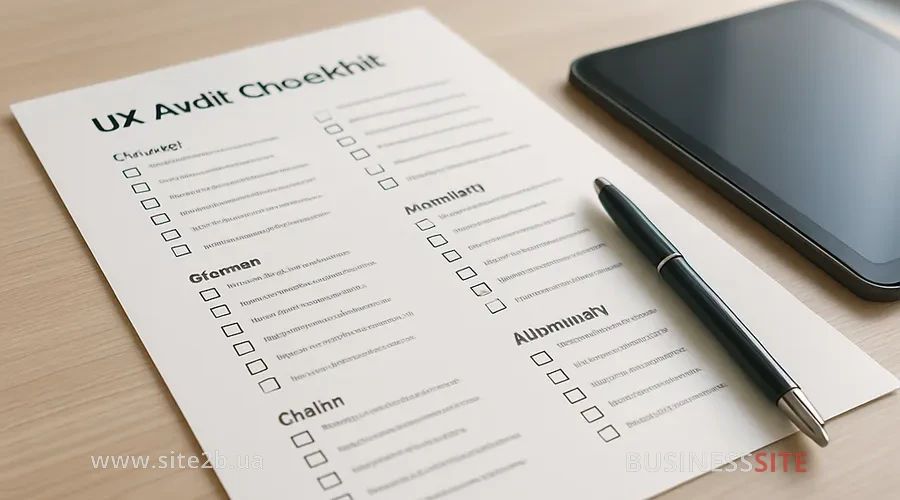
Below is the checklist structure with the main sections and a table template. I recommend recording for each item the problem, evidence (screenshots, heatmaps, metrics), priority by RICE/ICE/MoSCoW and an estimated time to fix. At BUSINESS SITE we assign an owner and a “control date” to each item so as not to lose momentum.
Item
Problem
Evidence (screenshots/metrics)
Priority (RICE/ICE/MoSCoW)
Time to fix
Example: Checkout – Phone field
Users are confused by the phone number format
23% error rate, session recordings, support team feedback
High (ICE 8/10)
8 hours
Recommended artifacts: heatmaps and click analysis (heatmaps), session recordings (session replay), GA4 reports, usability test protocols, Lighthouse and PageSpeed Insights results.
Research & Analytics: what to check
Check the correctness of goal and event setup in GA4, including micro-conversions: CTA clicks, add-to-cart, step transitions, form errors. Include funnel analysis and cohort analysis to assess retention and traffic quality by source, and also perform clickstream analysis supported by session replay.
Synthesize quantitative and qualitative data to see both the scale of the problem and its causes. In a project for an online store we found a 38% drop-off between the cart and delivery via “Nova Poshta”. We added delivery time and cost hints, as well as service logos. The step conversion increased by 12 percentage points, and overall CR uplift was +9%.
Information architecture and navigation
Evaluate the menu structure and category tree depth, conduct card sorting with several user segments, then validate the structure through tree testing. Check search results and quick paths (internal links, breadcrumbs) for typical tasks.
Metrics for validation: time to find (time to locate the required section or product) and task success rate. In a construction vertical we simplified the architecture from 4 to 3 levels, merged duplicate filters and added hints. Task success rate increased from 71% to 88%, and time to find decreased by 24%.
Design system and microinteractions
Conduct a design system audit: check consistency of components, spacing, states and error responses. Record how microinteractions work: button states, spinners, notifications, confirmations and inline validations. Do a review in Figma and create a UI pattern inventory to eliminate inconsistencies.
In a pharma case we unified form elements, added explicit hover/active/disabled states and improved error feedback. This reduced form abandonment rate by 14%, and CSAT for the submission scenario increased by 0.6 points.
Content, microcopy and onboarding
Assess the clarity of the value proposition and CTA wording, check headings for alignment with user tasks and reduce cognitive load through progressive disclosure. Onboarding in complex services should be split into short steps with clear benefits and a progress indicator.
To test hypotheses use A/B testing of microcopy with prior calculation of sample size and statistical power. In a travel case, a simple clarification of the CTA on tour search and reduction of fields on the first step yielded +11% to form starts and +7% to completions. Additionally, the customer effort score (CES) for the selection scenario decreased from 5.1 to 3.8.
Accessibility audit and WCAG compliance
Check compliance with WCAG 2.1: contrast, correct ARIA attributes, keyboard accessibility, focus indicators and support for assistive technologies. Combine automated checks with manual scenarios, including testing with a screen reader.
Research ethics, a separate point: set up data collection with GDPR in mind and ensure secure storage of session recordings. In one financial project we added field hints, improved aria-labels and tab order. This reduced the error rate for keyboard users to 4%, and NPS increased in the 45+ segment.
Core Web Vitals and performance
Evaluate Core Web Vitals: LCP, CLS and INP (instead of the deprecated FID) using Lighthouse and PageSpeed Insights. Include performance budgets, optimize the critical rendering path, configure lazy loading, use modern image formats and a CDN. Check both front-end bottlenecks and server response time to link technology and UX.
In an e-commerce project, minification of CSS/JS, critical CSS and switching to responsive images reduced LCP by 0.9s and improved CLS to 0.04. As a result, mobile bounce rate decreased by 13% and CR increased by 8%.
Mobile UX for PWA
Check mobile-first: touch target sizes, spacing between elements, readability, speed and stability. Evaluate PWA: manifest, offline behavior and add-to-home-screen if the product has a high share of returning users. Test on real devices and use moderated remote testing, supplementing with unmoderated platforms.
In a retail project we redesigned filters for the thumb, added quick presets and simplified data entry. On iOS CR grew by 14%, and time on task for selecting parameters decreased from 54 to 38 seconds.
E-commerce and landing pages for conversion
For an online store check the checkout flow: payment methods (including PrivatBank/Monobank), delivery options (Nova Poshta), trust signals, delivery time hints and price transparency. For landing pages clear offers, social proof and concise forms are important, as well as benchmarking against Rozetka and Prom.ua for user expectations.
I recommend recording ‘quick wins’ and validating them via A/B tests. In one electronics store we displayed Nova Poshta delivery times directly on the product card, added guarantees and payment icons. CR uplift was 12%, and average order value increased by 6% thanks to a thoughtful upsell.
Technical UX audit of the website: checklist
A technical UX audit of the website links the DOM structure, critical CSS/JS, third‑party scripts, and server response time to user metrics. Verify that above-the-fold blocks load first, third‑party widgets load asynchronously, and caching and CDNs are configured optimally. Automation in CI/CD with lightweight Lighthouse checks in PRs helps maintain release quality.
Prioritize fixes by their impact on LCP/CLS/INP and their correlation with bounce rate and CR. In a delivery-service case we deferred third‑party chats and marketing scripts, which reduced TTFB and improved LCP to 2.1s on 4G. This recovered 7% of traffic that previously left before the first interaction.
Heuristic evaluation, cognitive walkthrough and A/B
Heuristic evaluation by Nielsen reveals violations of basic principles: visibility of system status, match with the real world, user control and freedom, error prevention, etc. The cognitive walkthrough complements the method by going through key scenarios through a novice’s eyes and assessing the clarity of steps. The combination provides quick insights before running resource‑intensive tests.
Usability testing (moderated and unmoderated) confirms how users complete tasks and where they stumble. A/B‑testing, a tool for validating hypotheses: calculate sample size and statistical power, define significance criteria, and, if necessary, use Bayesian A/B testing for more flexible interpretation. For products with high traffic, check multivariate testing (MVT) when there are multiple hypotheses affecting different areas of the screen.
Link audit recommendations with A/B testing and a quality control plan after implementation. In a project for B2B services we tested three variants of the application form, and the version with a progress bar showed a +18% uplift in the form’s CR while maintaining stable lead quality by SQL.
UX audit tools and their comparison
Analytics: Google Analytics 4: the foundation for events, funnels and cohorts. Heatmaps and session recordings: Hotjar and FullStory, for analyzing clicks, scrolls and micro‑errors. Testing and optimization: Optimizely and similar platforms – for A/B and MVT with statistical standards and integrations. Performance: Lighthouse and PageSpeed Insights, for Core Web Vitals and technical recommendations.
When to use what. For a quick health‑check, GA4 + Lighthouse is enough to gather initial findings in 3–5 days. For deep research, add session replay, in‑depth interviews and usability tests with segmentation by personas. We also use Figma/Sketch/Adobe XD to review design systems and prepare alternative solutions, which speeds up the “hypothesis → test → implementation” cycle.
Useful artifacts: dashboards with CR by channels and funnel steps, automatic alerts about drops in Core Web Vitals, an accessibility checklist according to WCAG and a standard hypotheses table with attributes for impact and effort.
Prioritizing recommendations after an audit
For prioritization use RICE (Reach, Impact, Confidence, Effort), ICE (Impact, Confidence, Effort) or MoSCoW (Must/Should/Could/Won’t). I often start with ICE for quick waves, then switch to RICE when precision and alignment with multiple teams are needed. Create three stacks: quick wins (1–2 weeks), mid-term tasks (1–2 months) and a long-term roadmap.
How to calculate ROI from UX investments. Basic formula: CR uplift → incremental revenue = (traffic × CR_uplift × average order value) − implementation cost. In a travel-niche case, reworking filters and microcopy produced +9% CR and ~+11% revenue on paid traffic with costs recouped in 6 weeks. For strategic assessment, add LTV and CAC to see the impact on acquisition and retention economics.
Action plan: implement quick fixes, run A/B tests on high-priority variants, simultaneously implement the technical track (Core Web Vitals, lazy loading, CDN) and schedule continuous UX monitoring. In the pharma catalog, this approach ensured a steady increase in NPS and sustained profitability of ad campaigns.
UX audit: outsourcing or in-house
The selection criteria are simple and practical. Look at case studies with ROI and clear uplift metrics, the methodology (heuristic evaluation, cognitive walkthrough, usability testing, A/B), transparency of task tracking, and the ability to integrate into your product team. It’s important that the contractor can speak with marketing, development, and C-level in the language of KPIs.
Work models: consulting with delivery of a checklist and a roadmap, contract audit with pilot implementation, embedded format (collaborative work with sprints) and hybrid models. For a startup, budget benchmarks: lower due to a focus on health-check and quick wins; for enterprise, more time and approvals, but a higher multiplier of effect. At BUSINESS SITE we often run stakeholder alignment workshops to ensure buy-in and speed up approvals.
Example: a bank requested integration of recommendations into the existing Jira. We formalized the backlog, metrics and “Definition of Done” for UX tasks. As a result, the “idea → prod” cycle was reduced by 30%, and each release was validated by the CR metric on key forms.
UX audit before advertising: its connection to SEO
A UX audit before launching ads reduces CPA, raises Quality Score in search engines and improves the effectiveness of landing pages. The logic is simple: the same budget generates more transactions if the landing and checkout scenarios work transparently and quickly.
The link between a UX audit and SEO is obvious to a marketer: site structure, Core Web Vitals and behavioral signals (CTR, time on page, bounce rate) affect visibility and traffic. Technical cleanliness (critical CSS/JS, CDN, server response time) and a convenient IA support both functions: visibility and conversion. In a retail project we conducted competitor benchmarking, prepared two versions of landing pages for different segments and ran A/B tests before the campaign. CPA decreased by 18%, and CR increased by 10%.
Answers to Clients’ Frequently Asked Questions
In the FAQ section you will find answers to clients’ frequently asked questions about a website UX audit: what exactly we check, which issues we identify and which documents the client receives as a result. Below are subsections with explanations about the reports, checklists and practical recommendations for implementation.
What is included in a website UX audit and the deliverables
I include a research block (GA4, heatmaps, session recordings), an expert review (heuristic evaluation, cognitive walkthrough), user tests if there is traffic, a technical UX audit of the site and the final implementation plan. As an output you will receive an executive summary for management, a detailed report with the full UX audit checklist, a prioritized backlog (RICE/ICE/MoSCoW), test protocols and a set of hypotheses for A/B. For details, see the section “Stages of a website UX audit: from briefing to implementation”.
Audit timeline and implementation of recommendations
A quick health-check takes 5–7 working days, an extended audit: 3–4 weeks for SMB and 4–8 weeks for enterprise. Implementation of quick wins typically fits within 2–6 weeks, while deeper changes require 1–3 months. For detailed guidelines, see “Stages of a website UX audit — from briefing to implementation”.
How to calculate ROI and prove impact
Use the uplift → revenue formula: additional revenue = traffic × CR_uplift × average order value − cost of changes, taking into account the impact on LTV and CAC. To confirm the effect, collect before/after data in GA4, record the statistical significance of A/B and show the revenue impact metrics. For practices and calculations, see “Prioritizing recommendations, ROI and action plan after the audit”.
Perform a UX audit yourself?
Yes, especially the first health-check cycle. Use the checklist in this article, GA4, Lighthouse and any session replay tool, then prepare a short plan of A/B hypotheses. This approach will help quickly gather “quick wins” and assess the potential of a deep audit. See “Full UX audit checklist for a website, step-by-step guide” and the H3 sections.
Conclusion and call to action
I am convinced: a full UX audit of a site is not a “one-off check” but a working tool for increasing profit and marketing effectiveness. The sequence is simple: a quick health-check, focus on high-impact scenarios, prioritization using RICE/ICE, A/B validation and continuous quality control through continuous UX monitoring. Such a cycle disciplines the product, saves ad budgets and makes growth predictable.
To get started faster, use the ready-made checklist template. It’s convenient to transfer it into Google Sheets and immediately assign owners, deadlines and KPIs. If you need an external perspective, request a free preliminary health-check from BUSINESS SITE with a brief executive summary and a list of initial priorities. This will help lock in the work plan and estimate the potential uplift in percent and monetary terms.
Item,Problem,Evidence (screenshots/metrics),Priority (RICE/ICE/MoSCoW),Time to fix,Owner,Review date
Main menu - IA,Users take too long to find the desired section,Tree testing: time to find 42c; 27% fail,High (ICE 9),8 h,PM,2026‑03‑20
Checkout - phone,Input format and mask are unclear,23% error rate; session recordings,High (ICE 8),8 h,Front‑end,2026‑03‑22
product page - delivery,Insufficient information about delivery times and price,Heatmap scroll; 31% drop-off on the payment block,Must (MoSCoW),12 h,UX,2026‑03‑25
Mobile filters,Small touch targets on iOS,High INP; complaints in chat,High (RICE 72),16 h,UI,2026‑03‑27
Performance,High LCP on 4G,Lighthouse LCP 3.6s; CLS 0.12,Must (MoSCoW),24 h,DevOps,2026‑04‑01
Expected results when following the plan: +8–25% to CR due to “quick wins”, a 10–20% reduction in bounce rate when optimizing Core Web Vitals, reduced CPA and revenue growth without increasing the ad budget. In my experience, this kind of discipline turns UX work into a predictable contribution to P&L, not “pretty pictures”.