Let me ask a direct question: if tomorrow you switched off 50% of the blocks on your site’s homepage, which metrics would fall and which would remain the same? In my experience at BUSINESS SITE, the answer to this question only appears when the team thinks not in “personas” and “features”, but in “the jobs the customer hires the site to do”. This is the JTBD approach. Next, a practical methodology, examples from our projects and ready-made templates that will help build a client-oriented web design with measurable ROI.
JTBD in UX: what it is and why businesses need it

On websites, JTBD provides three tangible benefits:
- Increased conversion, because content, structure and CTA are pre-optimized for job completion.
- Reduced time to complete the job (time-to-complete-job) by eliminating unnecessary steps and struggling moments.
- Lower churn and improved monetization thanks to clear matching of the offer and the usage context.
The approach works well in B2C and e‑commerce, where decisions and context are visible in GA4/Amplitude events, and in SaaS, where activation and retention are easy to measure. In B2B the deal cycle is longer, so I recommend combining JTBD with an account-based approach and qualitative interviews. Limitations exist where there are too few decisions or where regulation closes part of the funnel, although even here outcome-driven thinking helps find acceleration points.
Designing a website around client tasks

At the core: a focus on job outcomes: what job a person is trying to complete and by what criteria success looks for them personally. I always look at functional, social, and emotional jobs simultaneously. Functional jobs describe the action (order delivery «Нова Пошта», make a payment through «ПриватБанк» or «Монобанк»), social — how the customer wants to appear to others, emotional — how they want to feel (confidence, control, time savings).
It’s important to distinguish job performer and job executor: for example, a marketer initiates the purchase of a SaaS, and an accountant completes the payment — the site must account for both.
The job map and consumption chain analysis define the architecture of pages and scenarios. In the job map we lay out the stages: define the task, prepare, execute, verify the result, and manage the aftermath. The consumption chain examines all touchpoints before and after the main action: login, data import, payment, delivery, support.
I always minimize struggling moments and take switching costs into account in the funnel.
If the user compares prices with «Rozetka» or «Prom.ua», comparison blocks and return guarantees should be shown early rather than at the final step.
User experience for completing tasks on the page
Clear CTAs and micro-conversions: the backbone for job completion. I set micro-goals at each stage: check availability, calculate cost, choose delivery, confirm payment. Trigger microcopy removes doubts: «Pay via “ПриватБанк” in 2 minutes» and «We will send via “Нова Пошта” today if ordered before 16:00».
When every word supports the job, conversion grows without unnecessary “banner” efforts.
To boost job completion, I apply nudge theory and the Fogg Behavior Model.
The design system accelerates scaling: component patterns with built-in job scenarios ensure a consistent experience across all pages.
How to move from personas to job-to-be-done
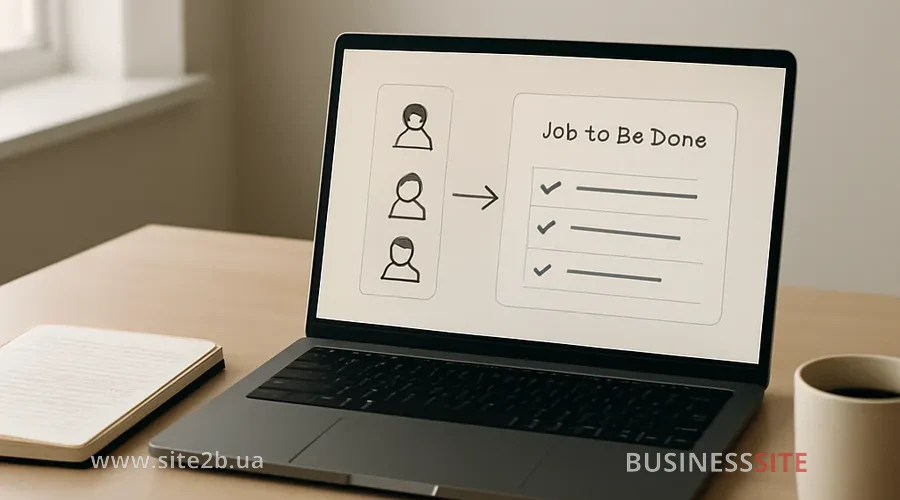
Personas describe who, and JTBD answers why. When demographic differences no longer explain behavior, I move to task-based segmentation. We build a jobs ontology: a hierarchy of ‘jobs’ in which we identify usage episodes: an urgent stock-up purchase, choosing the ‘ideal’ model, a repeat order via subscription.
Linking job segments to the value proposition canvas yields a clear value proposition for each job. Next we set a job-centric North Star Metric, for example the share of users who completed ‘calculation and order with delivery’ in a single visit.
JTBD: gathering job hypotheses and interviews

I combine contextual inquiry, situational interviews, and light field observations. Ethnographic methods are useful where context changes: mobile ordering on the go, purchasing at night, corporate approvals during the day. In interviews we focus on struggling moments, push and pull forces, and success criteria, not on general preferences.
Data triangulation is my standard. We combine qualitative insights with quantitative signals: micro-conversions, events in GA4/Amplitude, heatmaps from Hotjar/FullStory. Then we formalize findings into outcome statements – “reduce the time to choose a tariff to 2 minutes without calling a manager”, and evaluate opportunities using opportunity scoring.
Interview template: example questions
I start with a brief explanation of the purpose and ask for consent to record, then I describe the scenario: “Imagine you want to arrange delivery of a medicine for tomorrow.” First block: triggers — what triggered the task and why today. Second, actions: what steps were taken, where you got stuck, and which tools you used. Third — knowledge and criteria: what information you consider sufficient to decide and by what signs you’ll know the job is done.
It’s important to record the exact wording of struggling moments and push/pull forces. Record switching costs: time lost when switching services, transferring the cart, bank authorization.
Job stories for the web: templates and examples
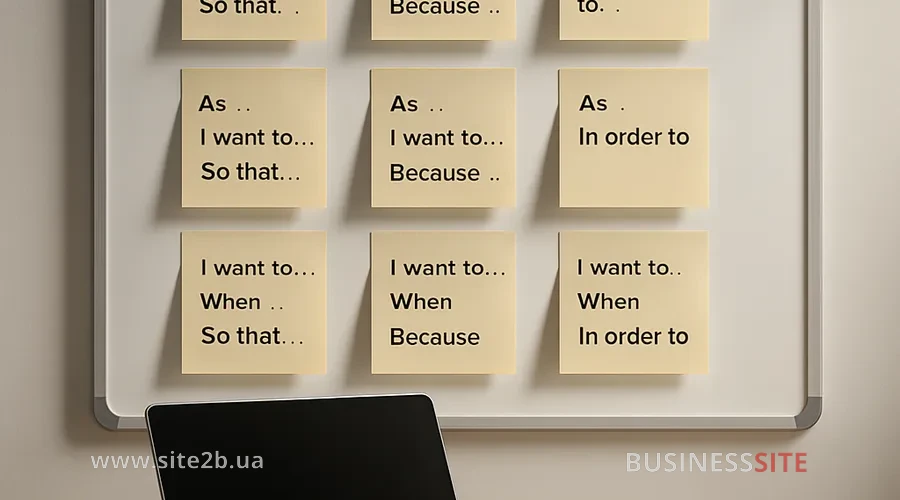
A user story is about «who/what», while a job story is about «when/want/so that». The difference is critical for UX, because context changes interface decisions.
Building a customer journey job map
To translate the job map into a customer journey, I break down the stages and touchpoints: traffic source, first screen, filters, product card, delivery, payment, confirmation. Usage episodes and microconversions become checkpoints: viewing delivery terms, choosing a payment method, cost calculation.
Plan and artifacts of the job mapping workshop
The session takes 2–3 hours and involves the product manager, UX, marketing and sales. As an output we get a job map, a list of hypotheses, outcome statements and a list of metrics. We use Miro for the map, Figma for quick wireframes, record the session and provide a clear follow‑up with the task owners.
We conclude the workshop with initial prioritization and a sketch of the feature roadmap based on outcome statements. Each epic is mapped to a specific job outcome and metric, which helps later to defend the budget and synchronize teams.
Feature prioritization: JTBD and roadmap
We translate outcome statements into features and epics, tightly linking them to business metrics: North Star and AARRR. For prioritization, I use RICE/ICE and MoSCoW in combination with opportunity scoring and the Kano model.
A/B testing and JTBD frameworks
I build hypotheses from job stories and outcome statements: “If we show the delivery window on the first screen, we will increase the checkout completion rate by 12% by reducing uncertainty”.
I fix metrics in advance: primary – conversion uplift, secondary – time-to-complete-job and success rate.
How to measure the ROI of JTBD-UX changes
The set of KPIs is predictable: conversion uplift, success rate, time-to-complete-job, activation rate, retention cohorts, LTV, CAC and CAC payback. GA4, Amplitude or Mixpanel help build job‑tracking events, and a correct data layer guarantees data integrity.
Event schema and task-based segmentation
Key events for job‑tracking include “view_delivery_options”, “calculate_total”, “select_payment_method”, “place_order”, “job_success”. In the data layer we record parameters: job type, delivery method, payment method, step durations. A CDP like Segment or RudderStack helps segment audiences by tasks and run privacy‑compliant analytics (GDPR/CCPA) without leaking personal data.
At the reporting level I build retention cohorts by job‑success, and calculate CAC payback by traffic and task cohorts.
Personalization: from data to experience
Personalization based on the client’s tasks can be client-side or server-side. For stability and performance I prefer server-side personalization, especially when we have a headless CMS and centralized content.
How to implement JTBD in Agile/DevOps
I assign roles as follows: the product manager holds the strategy and North Star, the UX researcher — discovery and job evidence, the data team: events and metrics, product ops, processes and artifacts, and development: quality delivery.
Case studies: reducing churn and increasing conversion
In one e-commerce project with frequent “urgent purchases” we moved the delivery window “Nova Poshta” and the payment “Monobank/PrivatBank” to the first screen of the product card.
JTBD implementation plan for the website
The iterative roadmap is simple. Discovery (0–4 weeks): 10–15 interviews, job map, outcome statements, initial backlog. Experiments (4–12 weeks): 3–5 A/B tests on critical job checkpoints, measurement of conversion uplift and time-to-complete-job. Scaling (3–12 months): design system, personalization by jobs, standardization of analytics and team training.
Risks when transitioning to a job-centric UX
Common objections, costs, timelines and verifiability of ROI. I answer with numbers: we calculate uplift, margin and CAC payback, and show cost of delay as the lost revenue from postponing the release.
Frequently Asked Questions
I focus on conversion uplift, success rate, time-to-complete-job, activation rate, retention cohorts, LTV, CAC and CAC payback. These KPIs translate UX initiatives into the language of money and speed.
The formula is simple: (incremental gross profit − costs for UX/Dev/marketing) / costs. Initial results in e-commerce are visible within 2–6 weeks; in SaaS, 1–3 months for activation and 3–6 months for LTV. That timeframe satisfies most boards of directors.
Set roles, run a stakeholder alignment workshop, implement continuous discovery, add job criteria to the Definition of Ready/Done, and run an experimental pipeline. Product ops will support standards, and the data team will provide metrics.
Create a playbook, a template library and centralized artifacts, launch training and regular reviews. This reduces variance and speeds up scaling.
FAQ: quick tips
How to measure success rate and time-to-complete-job? Record start and end events of the job, calculate the share of successful completions and the median time between them. Add context: traffic source, job type and selected options.
Which KPIs to set for a pilot? Activation rate, conversion uplift for the target job scenario, and NPS/job success after job completion.
Quick wins in 4–12 weeks and a typical timeline? Focus on visible barriers: delivery, payment, guarantees, total cost calculator.
Conclusion and CTA
JTBD: is a discipline that turns customer-oriented web design into a manageable growth system.
In my experience, when a site is designed for the client’s real jobs, CAC decreases, LTV grows, and conversion and retention stop being a lottery.
The BUSINESS SITE practice shows that focusing on jobs removes arguments about “beauty” and moves the dialogue into the realm of time and money.
At the same time, prepare an events schema for GA4/Amplitude and include the metrics success rate and time-to-complete-job.
I have prepared a set of templates for readers: an interview script, a job story template for a landing page, and a job map for Miro. Request them from me and organize a short job-mapping workshop: it’s the fastest way to launch a quantified business case and see how to build a site around the client’s real tasks without unnecessary guessing.
Rate the article: