
In 2025, the digital marketing and video production market is experiencing a real technological leap: according to international agencies, the share of video in the online content structure already exceeds 85%. Nevertheless, more than 60% of entrepreneurs and marketers in Ukraine face the same problem — producing high-quality video content requires significant resources, time, and expertise.
Even large e-commerce companies and banks, which have collaborated with the BUSINESS SITE team, regularly note: traditional approaches to video creation do not allow for quick hypothesis testing, advertising scaling, and communication personalization.
In this context, the emergence of Veo 3 by Google is not just another piece of news from the world of AI, but an event capable of changing the video strategy for businesses of any scale.
Veo 3 is not just a video generator, but a full-fledged AI video assistant that allows creating realistic videos with synchronized audio from a text description, reducing the production cycle from weeks to minutes.
As a specialist who has been implementing innovative tools for Ukrainian companies since 2011, I am convinced: understanding the capabilities of Veo 3 and competent implementation of this technology is the key to sales growth, budget savings, and transparent analytics. In this article, I will discuss what Veo 3 by Google is, how to use it, and why its implementation becomes a strategic advantage for business. I recommend reading until the end — you will receive not only an overview of the functionality but also practical application scenarios that have already proven effective in real cases.
What is Veo 3 by Google?
Veo 3 is the latest version of Google’s AI video generator, built on DeepMind neural network technologies and integrated with the Google Flow ecosystem. The essence of Veo 3 is to generate realistic videos from text prompts: you describe a scene, specify a style, determine the desired duration, and the system creates a clip with synchronized audio and movements.
The evolution of Veo began with Imagen Video — Google’s first attempt to automate the creation of short videos based on AI. Veo 2 added basic audio support, but the real breakthrough was Veo 3: now the neural network not only understands complex text queries but also accurately synchronizes the soundtrack (dialogues, music, background noises) with the visual sequence, ensuring cinematic quality.
DeepMind technologies are responsible for generating complex object physics, realistic camera dynamics, and lip synchronization. Google Flow — a corporate platform that unites Veo, Imagen, and Gemini, allows integrating video generation into business processes, automating content creation, and managing digital assets at the company level.
From the experience of implementing similar AI solutions in BUSINESS SITE, the key to success is the competent setup of prompts and integration of Veo 3 with existing analytics and marketing systems. This allows not only to accelerate video production but also to obtain transparent, measurable results at each stage of the sales funnel.
Key Features and Functionality of Veo 3: What Makes It Unique?

- Synchronized Audio: the system automatically creates dialogues, music, and background sounds, perfectly tuning them to the visual row. For example, if the prompt specifies “street scene in downtown Kyiv,” Veo 3 will add city noise, conversations, traffic sounds.
- Realistic Lip and Motion Synchronization: DeepMind ensures exact match of speech and facial expressions, which is especially valuable for advertising and educational videos where authenticity is important.
- Quality 1080p and Higher: videos look like real with realistic physics, complex camera dynamics, and the ability to change angles and scale.
- SynthID Watermark: each video is automatically marked with an invisible watermark, protecting against deepfakes and ensuring transparency of content origin.

Main Functions for Business and Marketing

BUSINESS SITE practice showed: Veo 3 allows automating up to 80% of routine video creation tasks—from generating creatives for social media to training videos for employees and customers. The system supports quick A/B testing, allows creating personalized videos for different audience segments, and integrates with analytics for tracking ROI.
Integrations and Compatibility

Veo 3 is integrated with Google Flow, Gemini, and the corporate platform Vertex AI. This opens wide opportunities for companies: through API, you can connect Veo 3 to CRM, analytics systems (such as Google Analytics or Ukrainian BI solutions). This approach ensures end-to-end business process automation and minimizes manual labor.
User Convenience (UI/UX) and User Experience

The Veo 3 interface is intuitively understandable: video creation begins with a text prompt that can be customized for business tasks. The system supports multiple languages, which is especially relevant for Ukrainian companies working with international markets.
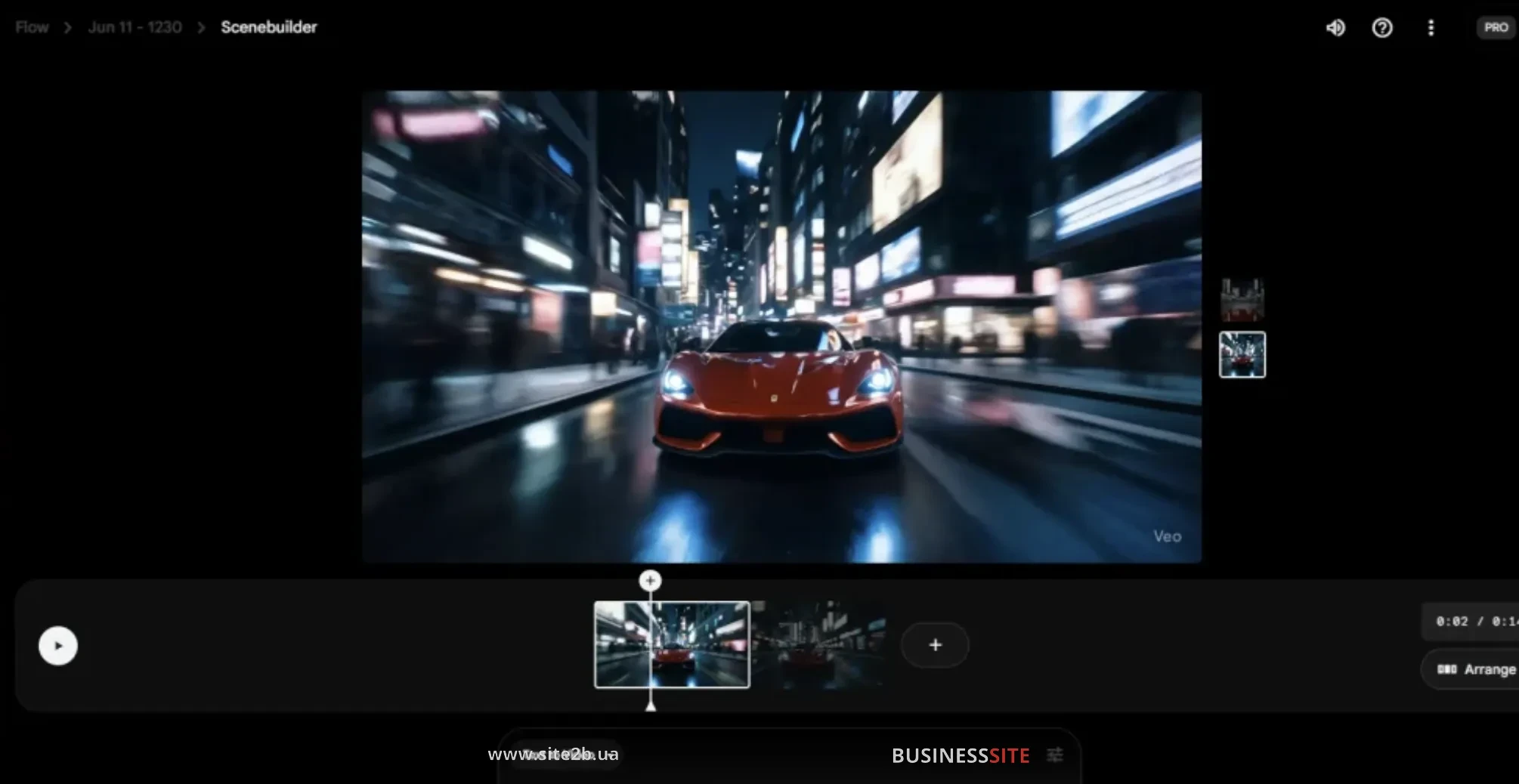
The only limitation — currently, Veo 3 generates only horizontal videos, which should be considered when planning content for social media.
Advantages and Disadvantages of Veo 3: An Objective View

From my experience, implementing Veo 3 provides business with several strategic advantages:
- Time Saving: the video production cycle is reduced from weeks to hours, allowing for quick hypothesis testing and launching new campaigns.
- High Quality: videos look professional, with realistic sound and physics, which increases audience trust.
- “All-in-one” approach: Veo 3 combines video and audio generation and digital asset management into one platform.
- Transparent Analytics: integration with BI and CRM allows tracking each video’s effectiveness on key metrics (ROI, CTR, LTV).
However, there are also objective limitations:
- Cost: access to Veo 3 is provided via an Ultra subscription or corporate Vertex AI plans, which may be critical for small businesses.
- Geographical Limitations: as of the publication, Veo 3 is officially available only in the USA, though Google has announced expansion to other markets.
- Duration and Format Limitations: currently, the system supports only short clips (up to 2 minutes) and horizontal format.
Why Consider Veo 3?

For companies operating in digital marketing, e-commerce, fintech, or education, Veo 3 opens new possibilities: video production automation, communication personalization, rapid market entry of new products. According to BUSINESS SITE’s experience, implementing AI video generation allows not only to save budget but also to increase conversion through more relevant and dynamic content.
Possible Limitations and Who It’s Not Suitable For

Veo 3 is an optimal choice for companies that prioritize speed and quality of video production. However, if a business requires long or vertical videos or if the budget is limited, alternative solutions should be considered or wait for the expansion of Veo 3’s functionality.
Applications of Veo 3 in Business and Marketing for Entrepreneurs and Marketers

- Rapid creation of advertising videos for social media, marketplaces, and digital campaigns.
- Prototyping ideas: generating test videos for presentations, pitches, and internal discussions.
- Educational projects: creating educational videos for employees, clients, partners.
- Game development and interactive presentations: generating animations, cutscenes, and visualizations for mobile applications.
In one of BUSINESS SITE’s cases for a pharmaceutical company, it was possible to automate the creation of educational videos for pharmacy chains, reducing production costs by 60% and speeding up the market entry of new products.
Application for Advertising and Digital Marketing

Veo 3 allows generating creatives for A/B tests, quickly adapting videos for different audience segments, and launching large-scale digital campaigns without involving external production studios. This is particularly relevant for online stores and banks, where reacting swiftly to market changes is critical.
Application for Education and Presentations

The system is ideally suited for creating training videos, visualizing complex ideas, and demonstrating new products. From implementation experience in educational projects, Veo 3 allows for quickly updating content, maintaining the relevance of materials, and personalizing learning.
Price, Usage Cost, and ROI from Veo 3
The cost of using Veo 3 is formed on a subscription model: for individual users, the Ultra plan is available, while for businesses, corporate Vertex AI plans apply. Pricing depends on the volume of generation (usually calculated per second of finished video) and the functions selected (such as audio generation, complex physics, integration with Google Flow).
Compared to traditional video production, Veo 3 allows reducing video creation costs by 3-5 times and speeding up campaign launches. In BUSINESS SITE cases for e-commerce and educational projects, the ROI from AI video generation implementation ranged from 150% to 400% due to expenditure reduction and increased conversion.
Who is the Ideal User Profile for Veo 3?

Veo 3 is a tool for digital agencies, marketers, entrepreneurs, video production teams, and educational projects that value speed, quality, and automation. It is particularly effective for companies dealing with large volumes of content where personalization and scalability are important.
Answers to Frequently Asked Questions (FAQ) About Veo 3

How to register and gain access to Veo 3?
Access to Veo 3 is provided through an Ultra subscription (for individual users) or corporate Vertex AI plans. Registration is done through Google Gemini or Google Flow. For Ukrainian companies, it is recommended to use corporate Google Workspace accounts and monitor the availability of Veo 3 in local platform versions.
What video generation formats does Veo 3 support?
Currently, only horizontal videos with a maximum resolution of 1080p and duration of up to 2 minutes are supported. Google plans to expand the format list in upcoming updates.
How to use Veo 3 from Ukraine?
Officially, Veo 3 is available in the USA, though Google has announced geographical expansion. For corporate clients from Ukraine, Google partner programs can be used or international accounts can be utilized.
Conclusion

Veo 3 by Google is not just an AI video generator but a strategic tool for business, enabling video production automation, resource savings, and obtaining transparent, measurable results. According to BUSINESS SITE experience, implementing Veo 3 opens new horizons for digital marketing, education, and e-commerce, allowing companies to quickly adapt to the market and outpace competitors.
I recommend considering Veo 3 as part of a digital transformation strategy: integration with analytics, content personalization, automation of routine tasks. In the coming years, AI video generation will become a standard for businesses, and those who start implementing technologies now will gain a significant advantage.
Rate the article:





