
Every second product added to the cart never converts into a purchase: according to industry estimates the cart abandonment rate stays around 60–80% depending on the niche and device. The most common trigger for abandonment is extra steps and clicks during checkout, when motivation is already there but the path to payment is still long. I have seen many times how a single additional click reduced checkout conversion by 5–10% versus the control version, and this was instantly reflected in revenue per visitor (RPV).
For a business this is a direct loss of revenue, an increase in CAC due to “empty” ad clicks, and a lost LTV when the customer doesn’t make the first purchase at all. Marketing pays for traffic, the product is invested in the product page, logistics are ready to ship, and friction in the purchase process nullifies the efforts. In conditions of high competition on marketplaces and in direct sales through a company’s own site, checkout optimization is one of the most predictable levers of growth.
If the goal is to increase RPV and cut losses at the final step of the funnel, it makes sense to read this material through and take the ready-made action plan as a basis.
Audience — entrepreneurs, executives and marketers who need the money from their ad budget to turn into paid orders. This text is also useful for product and technical teams: it links UX solutions to business metrics and explains why minimizing checkout steps is needed not “for aesthetics,” but for concrete revenue growth.
How extra clicks reduce revenue

The user’s psychology is simple: after clicking “Buy” attention and energy shift toward minimizing effort. Every micro-friction — an extra field, unclear validation, a redirect to the payment page — takes away some motivation. In our observations, if a user encounters form error corrections twice, the probability of completing payment falls multiplicatively; in mobile scenarios this is especially pronounced due to the smaller screen and increased cognitive load.
The economics are clear too. Imagine 100,000 visits per month, cart CVR: 10%, 8% reach checkout, base completion conversion — 40%. That’s 3,200 payments. One extra click in a critical place (for example, forced login) reduces checkout conversion by 10% relative to the baseline: so 3,200 → 2,880 payments. With an AOV of 1,800 UAH that’s minus 576,000 UAH in revenue per month. In terms of CAC the situation worsens: acquisition cost is fixed, while the number of paid orders is smaller, so CAC rises and RPV falls.
Where is revenue most often lost? First, at the delivery/payment selection step, when the interface forces switching between tabs or waiting for a redirect. Second, at validation: unclear errors, lack of input masks and address autocomplete force users to try again. Third, on payment redirects: external pages without localization, slow payment gateway response, or additional authorization without explanation. This also includes the absence of guest checkout, when registration becomes a barrier.
How to calculate the ROI of checkout optimization
- Checkout conversion rate (Checkout Conversion Rate, CCR), the share of those who began checkout and successfully paid.
- Cart abandonment rate and checkout abandonment rate, abandonment at the cart level and at the checkout level.
- RPV (revenue per visitor), AOV (average order value), LTV and CAC.
- Error rate by checkout steps and payment gateway latency.
- Uplift per test – the relative change of a key metric in the experiment.
ROI for a change I calculate as:
ROI = (Additional gross profit for the period − Implementation costs) / Implementation costs.
Payback period = Costs / Additional gross profit per month.
Example. The business processes 3 000 payments per month, AOV 1 600 UAH, gross margin 35%. Hypothesis: implement guest checkout and Apple Pay/Google Pay, expected uplift in CCR = +8%. This will add ~240 payments per month. Additional gross profit = 240 × 1 600 × 0,35 = 134 400 UAH. Implementation cost: 160 000 UAH one-time + 10 000 UAH/month support. Payback: 160 000 / 134 400 ≈ 1.19 months. Even with an actual uplift of +4% the payback period remains in the range of 2–3 months.
For accurate measurement the analytic funnel in ga4 must record events:
- add_to_cart → begin_checkout → add_shipping_info → add_payment_info → purchase,
- separate validation error events (validation_error_field_X), latency and fraud flags,
- clicks on payment and shipping methods (select_payment_method, select_shipping_method),
- use of autofill and address autocomplete.
Sample size and statistical significance: a required element of A/B testing. For a 5% uplift in CCR, baseline conversion 40%, power 80% and alpha = 0.05, the approximate sample per variant is 10–15k users who started checkout (calculate precisely with calculators or via the stats engine of tools). For high volumes multivariate testing (MVT) is appropriate; however I recommend starting with single hypotheses to simplify interpreting the effect of reducing clicks.
Revenue model after optimization
I use three scenarios: conservative, realistic and optimistic. I base them on:
- Historical data (CCR by device and channel, share of mobile traffic).
- Potential changes (one‑page checkout, guest checkout, digital wallets, autofill).
- Technical constraints (payment gateway, 3D Secure, latency).
- Conservative: +3% (guest checkout + address autofill).
- Realistic: +6% (Apple Pay/Google Pay added + inline validation).
- Optimistic: +10% (one‑page checkout + saved cards via tokenization).
In each scenario I account for multichannel effects: change in CAC due to increased conversion of the final step, impact on retention (LTV) owing to saved payment data and one‑click repeat orders. I define project KPIs in advance: uplift in CCR by X%, reduction in checkout abandonment rate by Y percentage points, reduction of checkout time to Z seconds, growth in RPV and share of digital wallets.
UX/UI to reduce clicks and friction

A good checkout: it’s the logic of minimization — only the necessary fields, clear grouping of steps, visible hints. Progressive profiling helps collect required data gradually: on the first order, a minimum of fields (full name, phone number, delivery and payment method), additional data — after payment or on a repeat purchase. This approach reduces cognitive load and increases the speed of completing a purchase.
Inline‑validation and input masks significantly improve the experience. Errors should appear immediately, not after «Submit»: «The phone number is missing a digit» with a format hint is clearer than a generic error. Address is a separate opportunity for acceleration: address autocomplete with suggestions for streets and «Nova Poshta» branches reduces the number of clicks and prevents typos. For payment fields, an MM/YY mask and CVV with a hint of where the code is located removes unnecessary questions.
Reducing clicks and speeding up purchases
Tokenization of payment cards and saved payment methods are the foundation for one-click and one-tap scenarios. The user authenticates, confirms the first payment, and then pays with a single click thanks to a securely stored token at the provider (PCI DSS-compliant storage). In practice this provides a multiple acceleration of repeat purchases and increases the share of returning buyers.
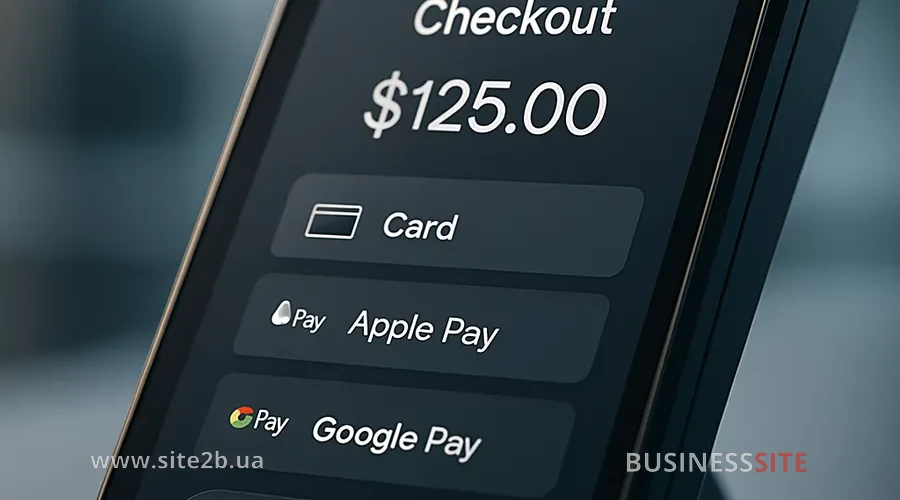
Integration of digital wallets, Apple Pay and Google Pay reduces the number of clicks in the mobile checkout and on desktop in supporting browsers. Wallets pre-fill the address and card, eliminating manual entry. In our projects, conversion uplift on mobile scenarios after implementing wallets was 7–15% with a sufficient share of iOS/Android traffic.
Technical optimization matters no less than the interface. We pay attention to minimizing redirects and payment gateway latency: ideally the checkout stays within the domain and interaction with the provider happens via API. In cases of mandatory redirects, domain prefetching, displaying the “step-up” status and clear back navigation help. From an architectural standpoint, headless commerce and a microservices checkout provide flexibility: payment orchestration with fallback methods protects against failures of a single provider. This is important at high volumes: conversion stability is achieved through routing and retries.
Mobile optimization and one-page checkout
One‑page checkout for ecommerce works as a powerful tool when fields are grouped logically and do not overload the screen. Multi‑step is justified in complex scenarios (many delivery options, order pickers), but then “flat” navigation wins: minimum “Next” clicks, maximum contextual content on a single screen. The selection criterion is an A/B comparison by CCR, checkout time and error rate.
Guest checkout (purchase without registration) often delivers a quick conversion lift. Registration remains an option after payment or via a lightweight social login. Social login is convenient when it actually saves steps; if authorization adds new screens, the guest scenario wins. When scaling mobile solutions, we test across different devices and traffic channels: behavior from Instagram, google ads and organic traffic differs, and segmentation by device and source provides additional insights.
Payment security and compliance
PCI DSS compliance is mandatory when working with card data. I recommend storing cards with the provider via tokenization and moving all sensitive fields into secure iFrame components. If you plan to remove the fields from the form, legal and compliance risks are addressed by coordinating with legal: transparent agreement texts, a personal data retention policy, consent checkboxes with clear wording.
Fraud monitoring is balanced against false positives: strict rules reduce the risk of chargebacks but cause legitimate payments to be declined. We use the provider’s risk scoring, manual review for high‑AOV orders, and flexible rules. This approach preserves convenience and protects the process without increasing the number of clicks. Changes to the payment part are agreed in advance with the legal and compliance teams so that business risks and UX remain balanced.
How to safely reduce the number of checkout steps
The testing strategy starts with a map of hypotheses and prioritization. I use ICE/PICE: Impact, Confidence, Effort (+ Potential) to assess what will give the maximum uplift for a reasonable amount of work. The first wave, high-probability “fast wins”: guest checkout, address autofill, inline validation, Apple Pay/Google Pay. The second — architectural changes: one-page vs multi-step, card saving.
Practical tests: this is a clear setup: “Reduce address fields from 6 to 3, expectation: −25% error rate, +4% CCR”, “Implement guest checkout: +6% CCR”, “Add wallets: +5–10% CCR on mobile”, “One-page: −20% checkout time, +3–5% CCR”. For tooling we use Optimizely, VWO, server-side flags or their equivalents; Google Optimize is no longer available. On the other hand, the principles of experimentation remain. Multivariate testing (MVT) is applied after obtaining baseline effects to study interactions between multiple changes.
Test automation and scaling
Frontend CI/CD with feature flags and gradual rollout reduces risk: first 5%, then 25%, 50%, 100% of traffic. Automatic measurement of uplift per test, integration with BI and real-time dashboards help make decisions without delays. We use schemes where GA4 events and payment provider data are joined by session_id and time to see actual purchases, not just clicks on “Pay”.
UX diagnostic tools for points of failure
Data collection starts with a clear funnel in GA4 and a set of micro-conversions: selecting the delivery method, opening the payment block, successful phone validation, clicks on Apple Pay/Google Pay, form errors. The dashboard displays CCR, abandonment by steps, RPV, AOV, error rate and latency.
Behavioral analysis complements the numbers: visual heatmaps and session replay via Hotjar or FullStory show where users “stumble”. Checkout error logging and monitoring (Sentry, internal logs) provide the picture from the code. Cohort analysis is important for assessing the impact of saved cards and one‑click on repeat orders; segmentation by device/channel — to identify degraded scenarios (for example, social traffic on mobile).
Implementation and Change Management Plan
Team preparation determines success. Product defines goals and hypotheses, engineering plans the implementation and feature flags, legal checks compliance, customer support prepares for inquiries. It’s important to agree on the SLA for payment incidents and an escalation procedure.
Rollout strategy — a phased reduction of checkout steps with metrics monitored at each stage. First, changes that do not affect security: form UX, autofill, guest checkout. Then: payment improvements: wallets, saved cards, provider orchestration. For high transaction volumes we build in “safety” launch windows (low load), duplicate logs and enable fallback payments.
Hypothesis prioritization is driven by impact on mobile traffic and funnel bottlenecks. Risk management includes testing on staging with a real provider, 3D Secure checks, payment retries and a rollback plan. Communication and CS training help handle the influx of questions: prepared response templates, scripts for 3DS errors and instructions on how to pay via an alternative method.
Case studies: uplift from one click
- B2C retail with a wide product assortment. Objective: reduce checkout abandonment rate on mobile. Solution: implement Apple Pay/Google Pay, reduce address fields using Nova Poshta’s address autocomplete, and inline validation. Result: +9.4% to mobile checkout conversion, −27% input errors, RPV increased by 6.8%. Lesson: wallets + autofill — a quick way to reduce clicks and checkout time.
- Online pharmacy with time-sensitive delivery. Problem: drop-offs at the registration step. We implemented guest checkout and moved registration to after payment (progressive profiling), adding social login as an option. Result: CCR uplift +7.1%, CAC decreased by 8% due to more payments with the same traffic. Conclusion: “purchase without registration” works great for the first purchase, and missing data is collected later.
- Financial service with subscriptions. Goal: speed up recurring charges and payment for add-on services. Implementation: card tokenization via a PCI DSS–compliant provider, one-click payments in the user account, predictive selection of payment method. Result: one-click repeat purchases increased by 22%, chargeback rate remained unchanged thanks to fraud monitoring. Lesson: saved cards and transparent communication: a driver of LTV.
- Marketplace with high turnover. Problem — payment gateway latency and redirects. We implemented payment orchestration with fallback methods, reduced external redirects and added server-side retries. Result: −18% drop-offs at the payment step, +4.2% CCR with stable AOV. Conclusion: technical “leaks” are costly: stability and speed increase revenue without visible bells and whistles.
Monitoring and KPIs after rollout
After release I include mandatory metrics in the dashboard: checkout conversion rate, checkout abandonment rate, RPV, AOV, LTV, CAC, error rate per step, checkout time, share of wallets/saved cards, payment latency and share of step‑up for 3DS. These indicators show how reducing clicks is reflected in revenue and the user experience.
Retrospective analysis every 2–4 weeks helps to understand the long‑term effect. We compare pre/post cohorts by devices and channels, look at repeat purchases and the impact on LTV. Automation of alerts (for example, a sharp increase in add_payment_info errors) and checkout logging speed up response to issues, and alerts on CCR and latency deviations help keep the payment side in the green zone.
When scaling changes to other markets, I take into account localization, multilingual support, multi‑currency and local payment methods. For Ukraine this means integration with LiqPay/PrivatBank, Monobank, Fondy, WayForPay; for international sales, Apple Pay/Google Pay, PayPal and local schemes. Scaling changes follows the principle “one market – one control period” to capture the effect and maintain manageability of risks.
Answers to Frequently Asked Questions
- How many steps should an ideal checkout have? An ideal one is where the path from “Buy” to “Pay” requires the minimum actions without losing clarity. For simple orders a one‑page checkout often wins; for complex ones, 2–3 steps with logical grouping. Criteria: CCR, checkout time, error rate and mobile completion rate.
- Which is more important — one less click or increased trust (seals, guarantees)? Both factors reinforce each other. Recommendation — place trust badges within the current flow without extra screens or modals, and verify reduced clicks with an A/B test. Hypothesis: “−1 click + visible security badges” will give the maximum uplift.
- Can required fields be removed without losing data and from a compliance standpoint? Yes, via progressive profiling: a minimum required at payment, the rest afterwards. From a security standpoint, store cards via tokenization with the provider; personal data handled according to the privacy policy. Legal wording should be agreed with legal.
- How to account for 3D Secure/SCA in a strategy to reduce clicks? Use 3DS 2.0, where a frictionless flow is possible, and configure risk rules with the provider. Clear statuses, predictive payment method selection and alternative methods (wallets) that reduce visible steps are useful.
- Which tools to use for quickly checking UX friction? For behavior: Hotjar and FullStory; for analytics: GA4 with an event-based model; for experiments — Optimizely or VWO. Also needed are error logging (for example, Sentry) and dashboards with CCR, abandonment and error rate by step.
Conclusion and CTA
Extra clicks in checkout: this is a revenue leak, rising CAC and a “hole” in the funnel at the most expensive stage. BUSINESS SITE practice shows: minimizing checkout steps, simplifying the payment process and speeding up the technical part consistently increase order conversion and RPV. Priorities are clear: guest checkout, autofill and inline validation, digital wallets, tokenization and saved cards, control of the payment provider’s latency.
- Quick diagnosis within 48 hours: gather the GA4 funnel, enable error events, build step-by-step abandonment; conduct a UX scan with a checklist (guest, autofill, wallets, inline validation).
- Three quick tests: implement guest checkout; add Apple Pay/Google Pay; reduce address fields using address autocomplete and masks. For each test: KPIs (CCR, checkout time, error rate), target sample and rollback plan.
- Rollout plan: prioritization of hypotheses (ICE/PICE), feature flags, gradual rollout, integration of uplift-per-test metrics into BI; coordination with legal and CS.
Rate the article:





